PeCan A clearer path through 9,000 pediatric cancer samples.
Data from 9,000+ patient samples, used by researchers worldwide.
Overview
PeCan holds data from over 9,000 pediatric cancer patient samples. Researchers use it to look for patterns in mutations, expression differences, and histology across diagnoses and subtypes. But the interface had grown limiting. Dense tables, disconnected views, and a visual language that had drifted from the rest of St. Jude Cloud made it harder to use than the data deserved.
I led the redesign: new visual identity, updated UX flows, a rebuilt design system, and front-end code across the platform. The goal was to make PeCan feel as rigorous as its data: clear, navigable, and consistent, without sacrificing the depth researchers depended on.
I worked alongside St. Jude's data scientists and engineers throughout. The interface and the branding were mine. The data visualizations and the interactions around them we designed together, on top of what they knew about the science.
It also meant copywriting, launch strategy, newsletters, and documentation. All of it had to ship together or the redesign would land as a patchwork.
The result: a clearer, faster, and more accessible platform for exploring genetic insights into childhood cancer.
Completely redesigned core features for launch
Unique patient samples available to explore
Unified design system for cohesion across product, prototyping, and development
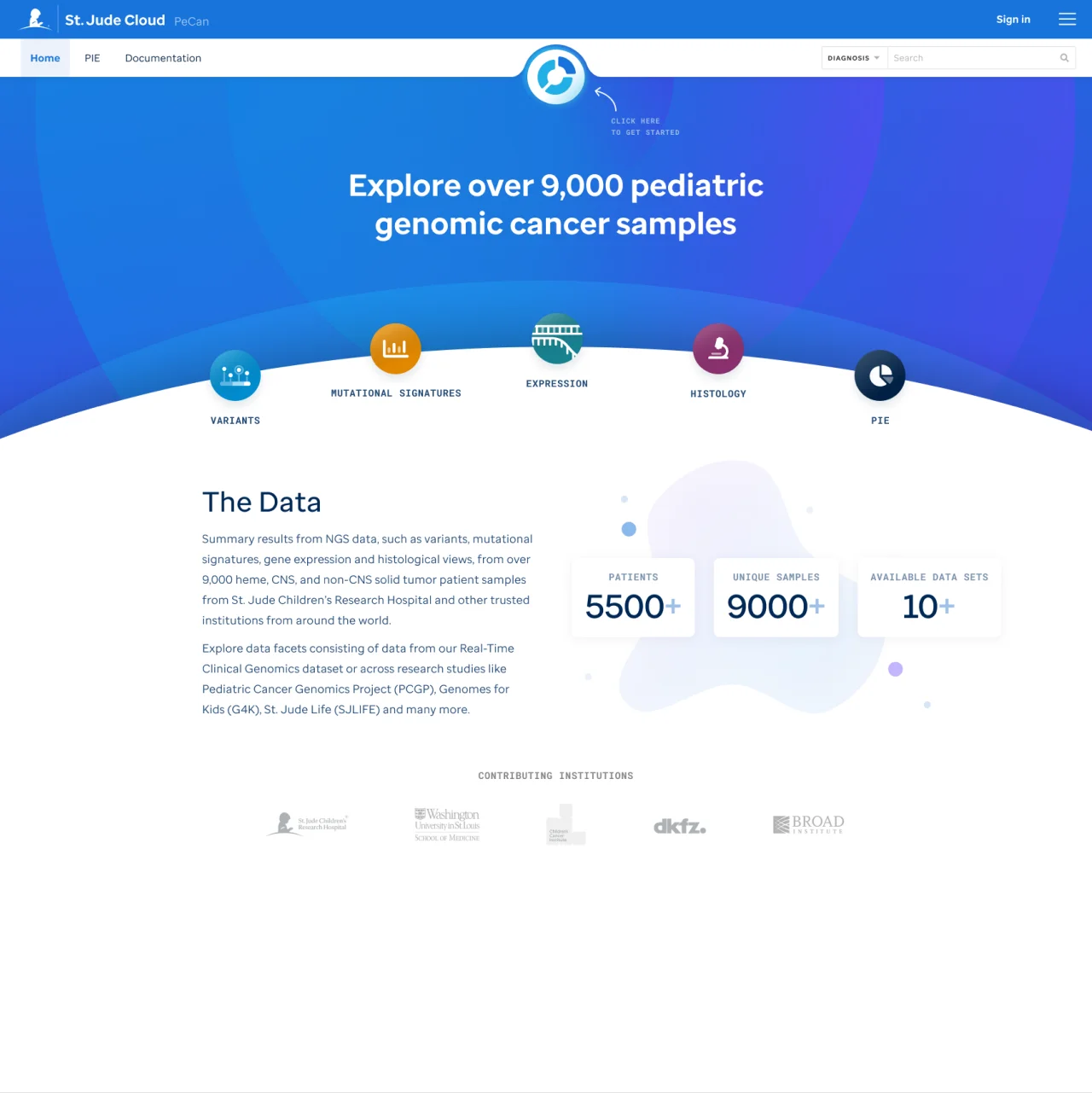 PeCan homepage hero design
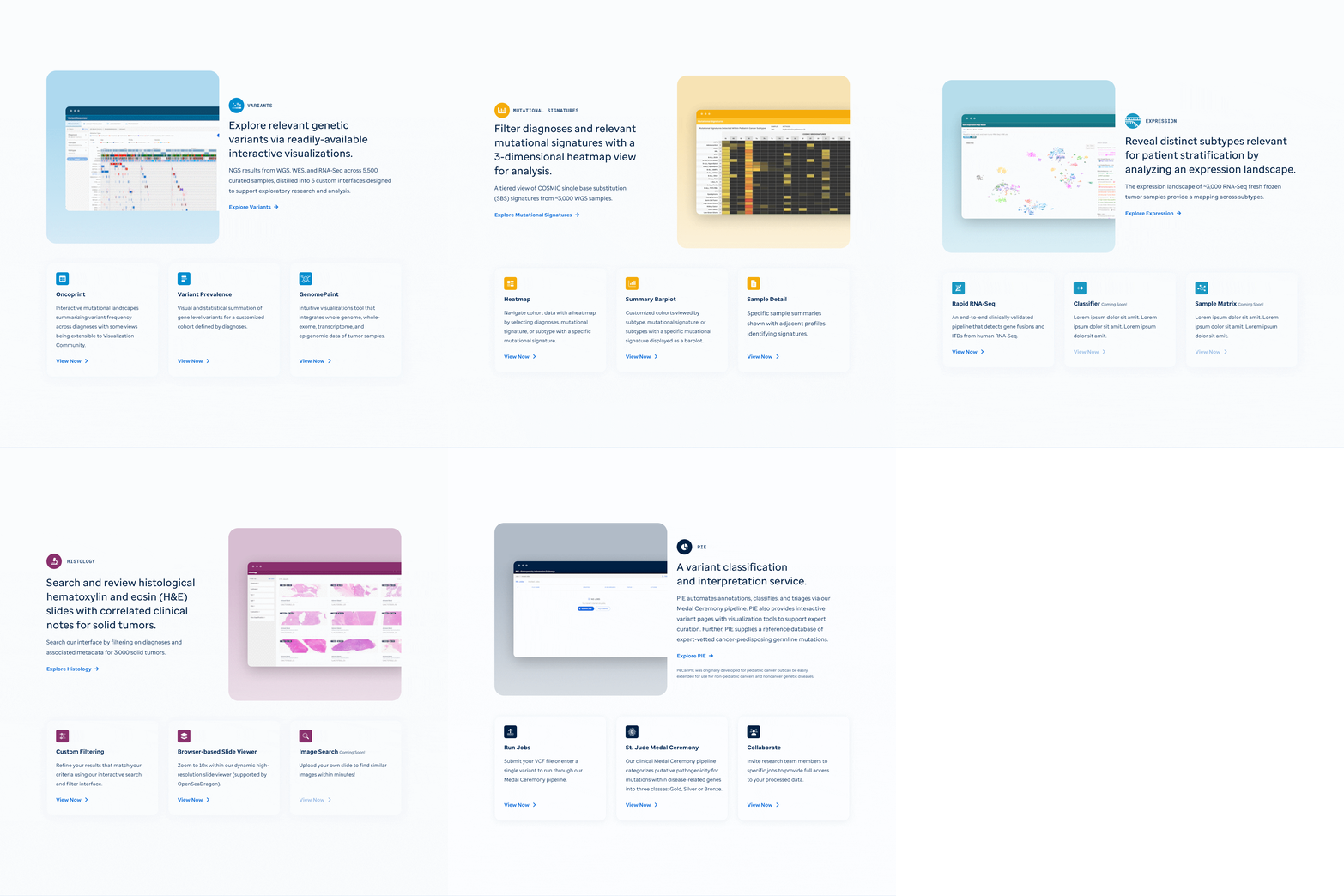 Homepage data facet section designs
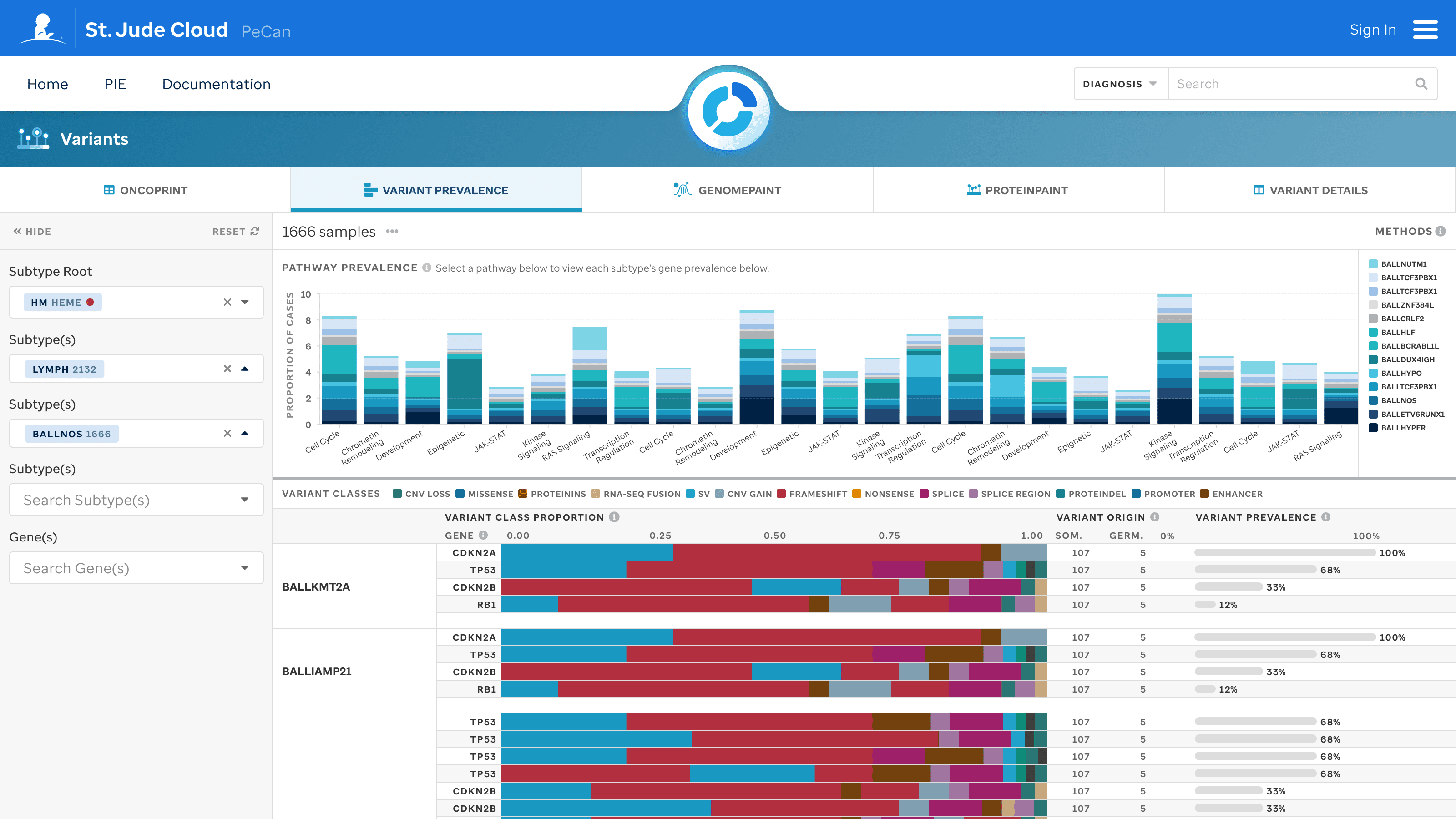 Variants data facet displaying variant pathway prevalence within the LYMPH subtype
Challenges
PeCan's visual language had drifted from the rest of St. Jude Cloud.
Dense genomic data, and researchers who know it better than I do.
Scientific precision that still has to work in a browser.
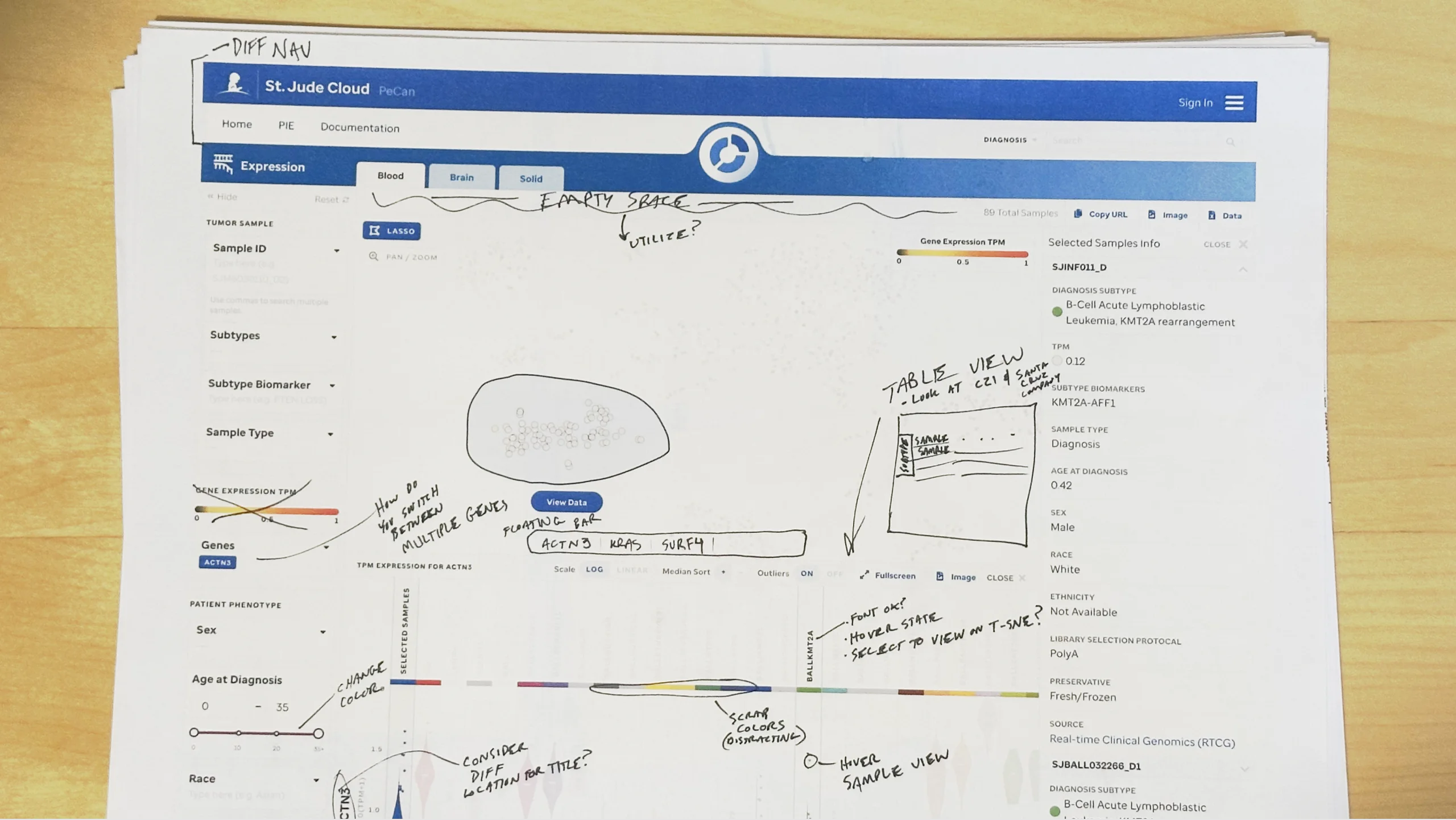 Proposed changes from design review of the Expression data facet
Contributions
Visual Identity & Branding
A new logo and identity, built to sit inside St. Jude Cloud's existing guidelines.
 Pediatric Cancer (PeCan) Knowledge Base Logo
 Icon design for each data facet
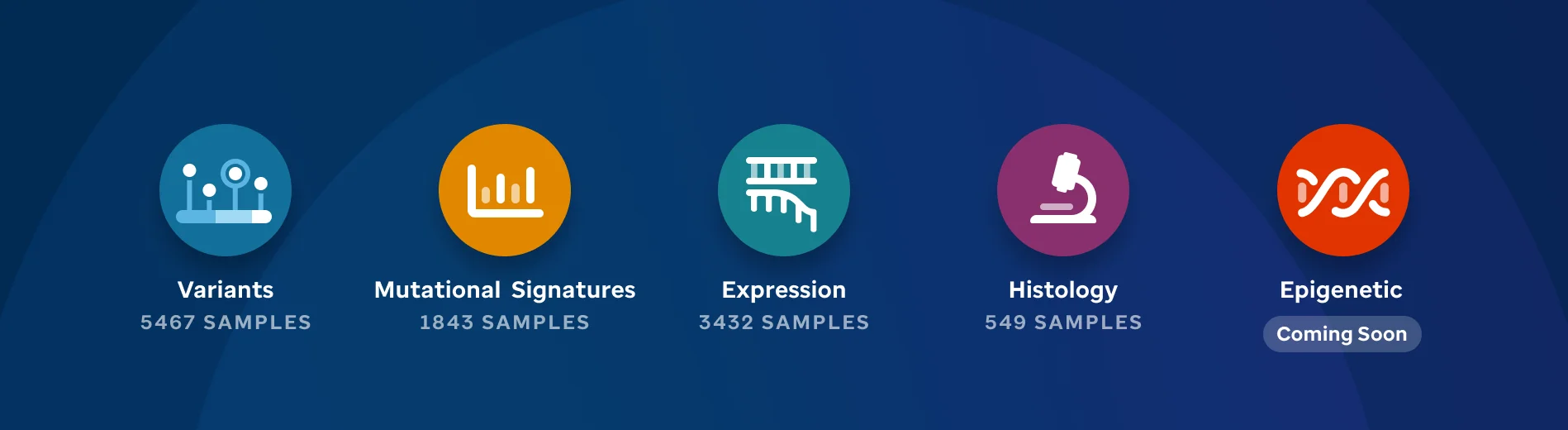 Data table presenting the data available within the PeCan platform
UX & UI Redesign
Rebuilt the flows for exploring and comparing genomic datasets.
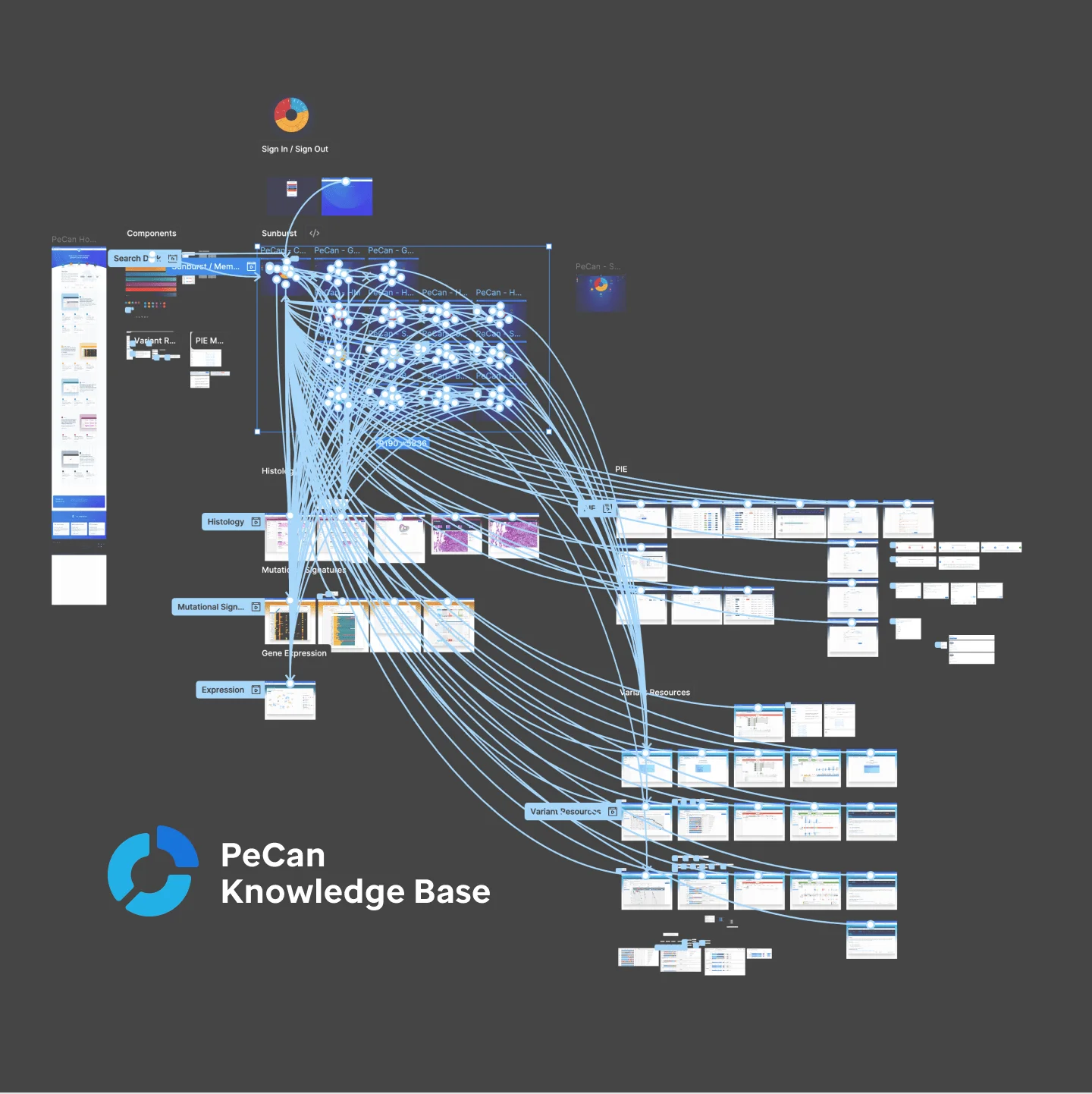 PeCan prototype connections
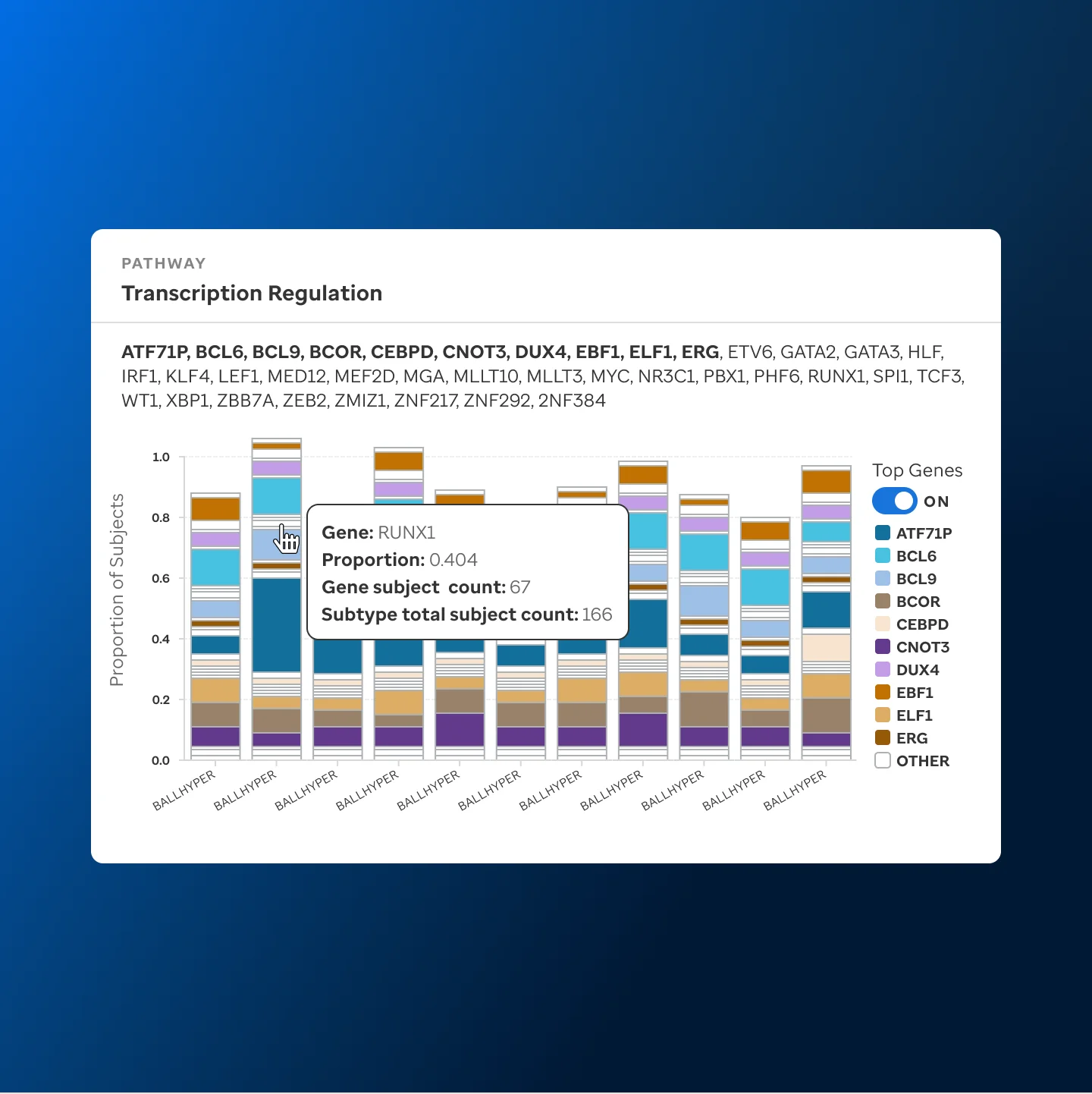 Data modal user interface component
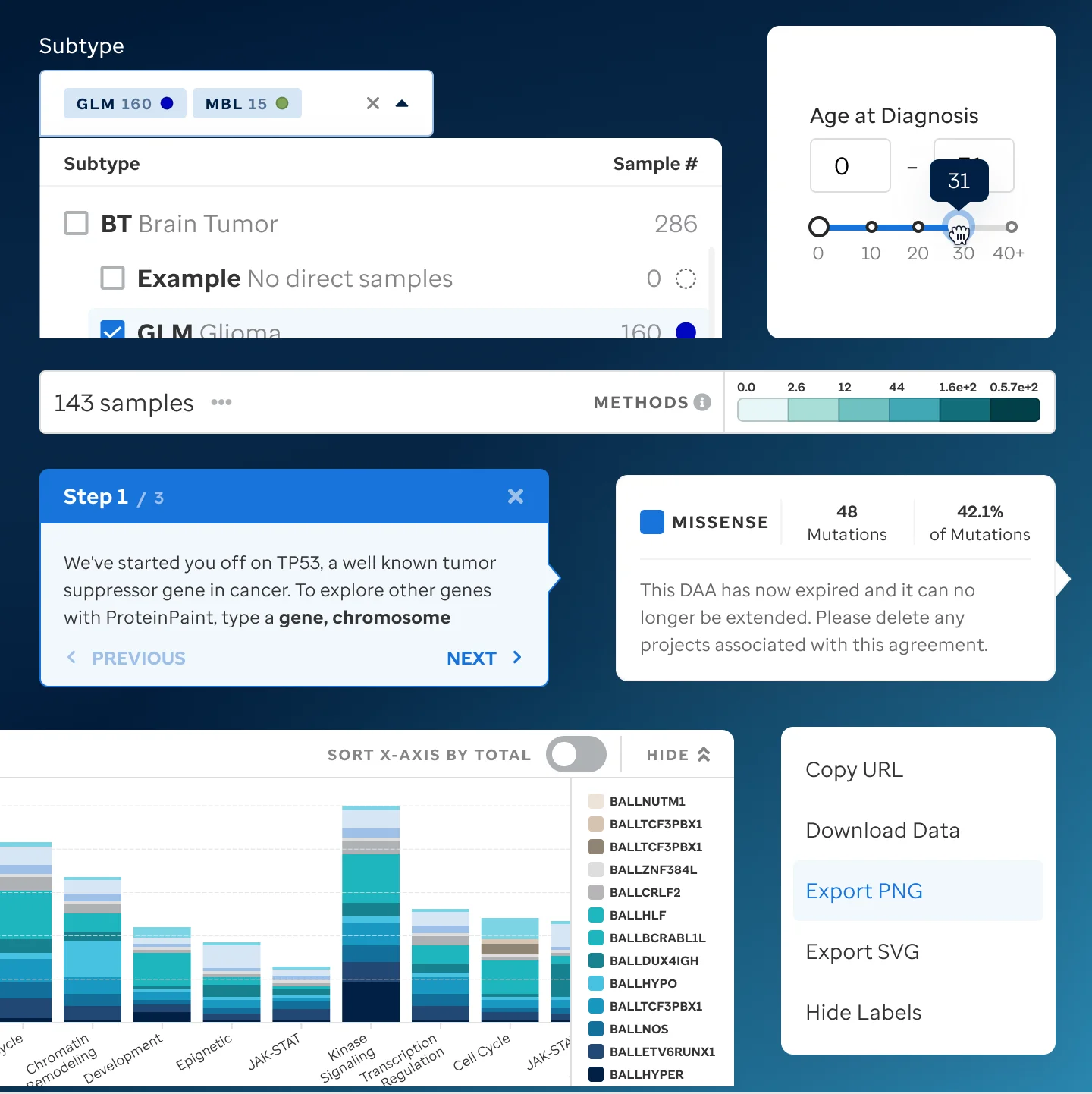 User interface components used within PeCan
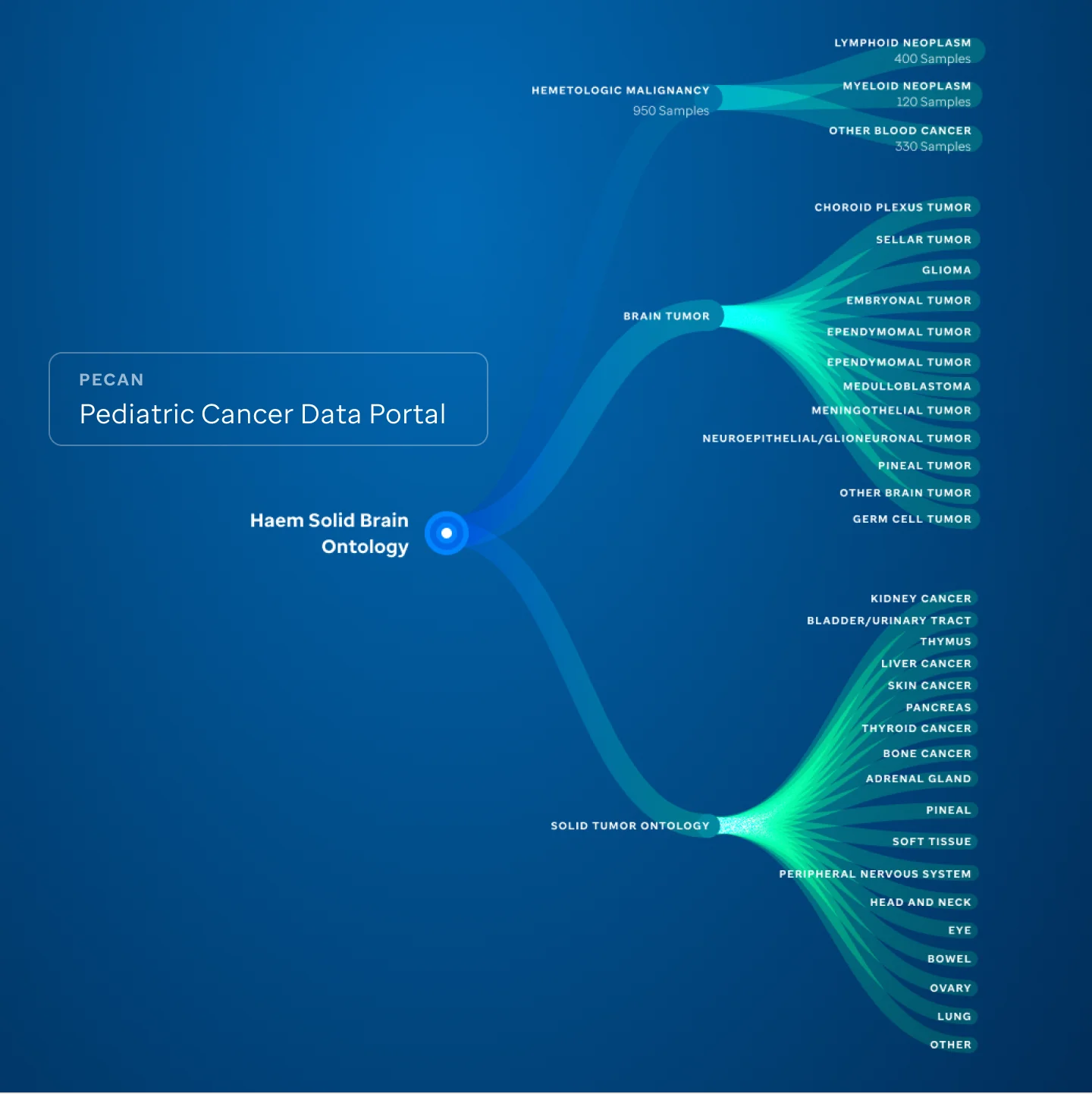 Tree navigation concept for disease ontology browsing
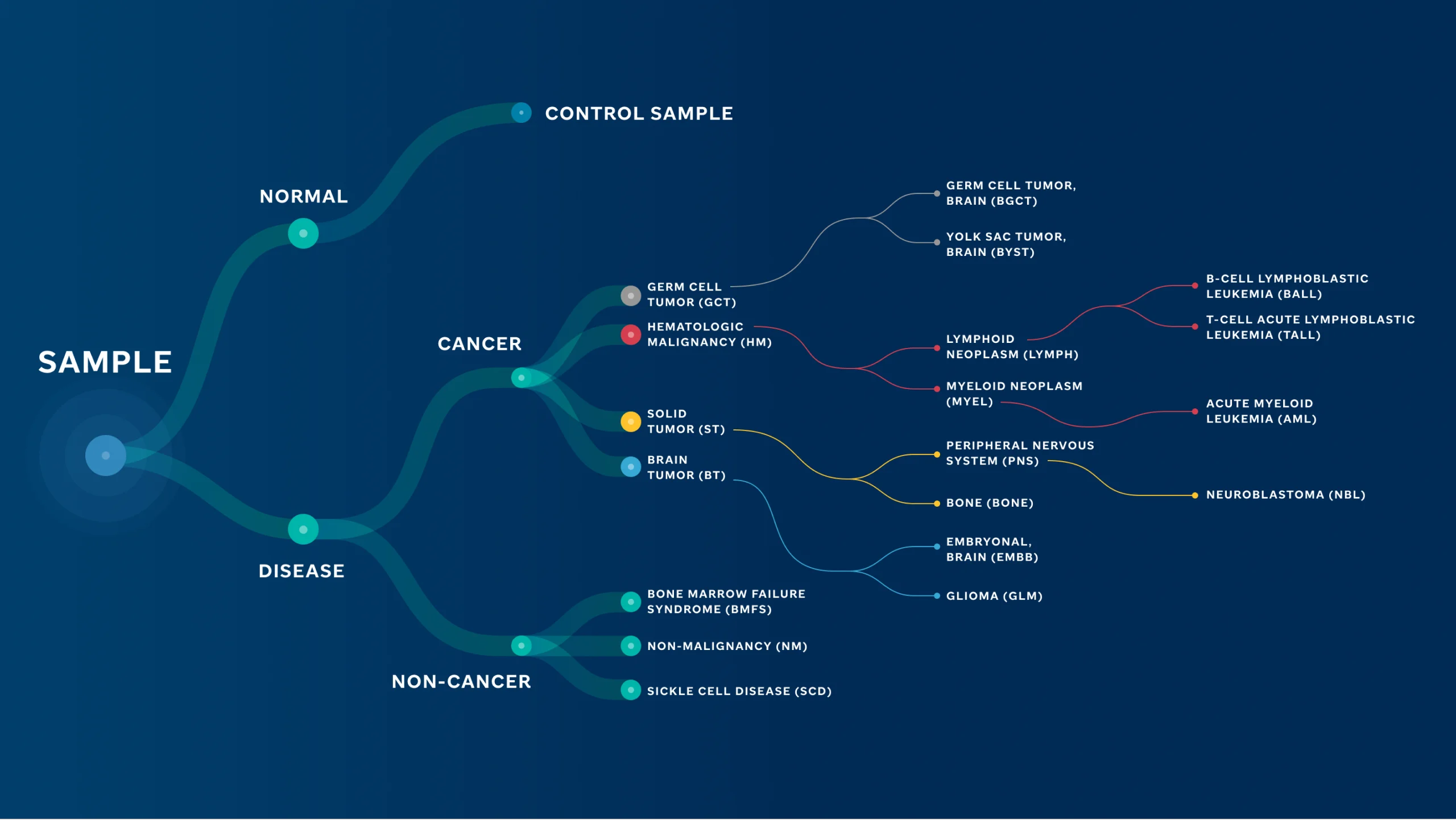 Disease ontology illustration
Content Strategy & Copywriting
Rewrote onboarding, dataset descriptions, and publication summaries for readers outside the specialty.
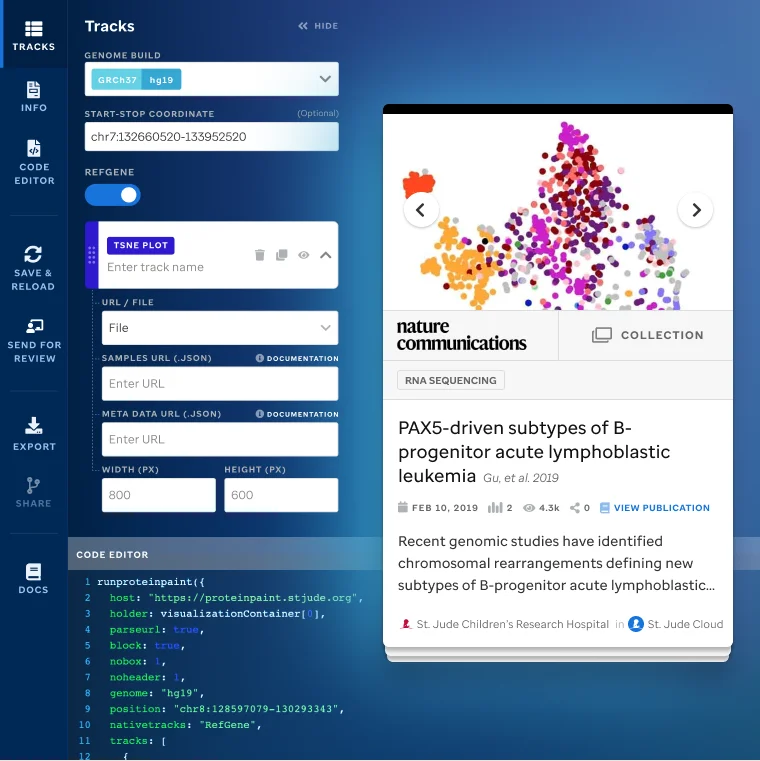
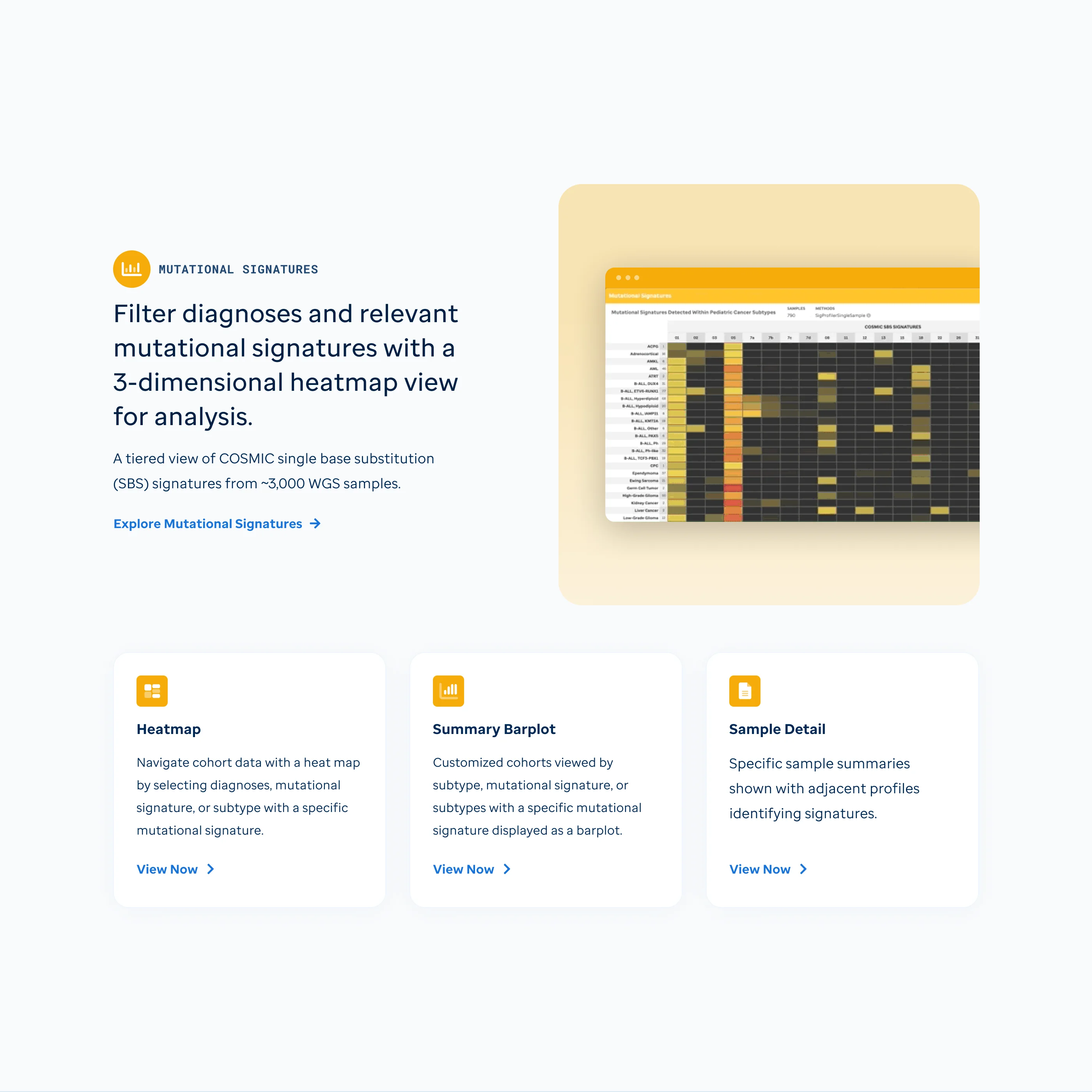 Mutational signatures homepage
Design System Integration
Folded the redesign into St. Jude's design system so the cloud tools stayed consistent.
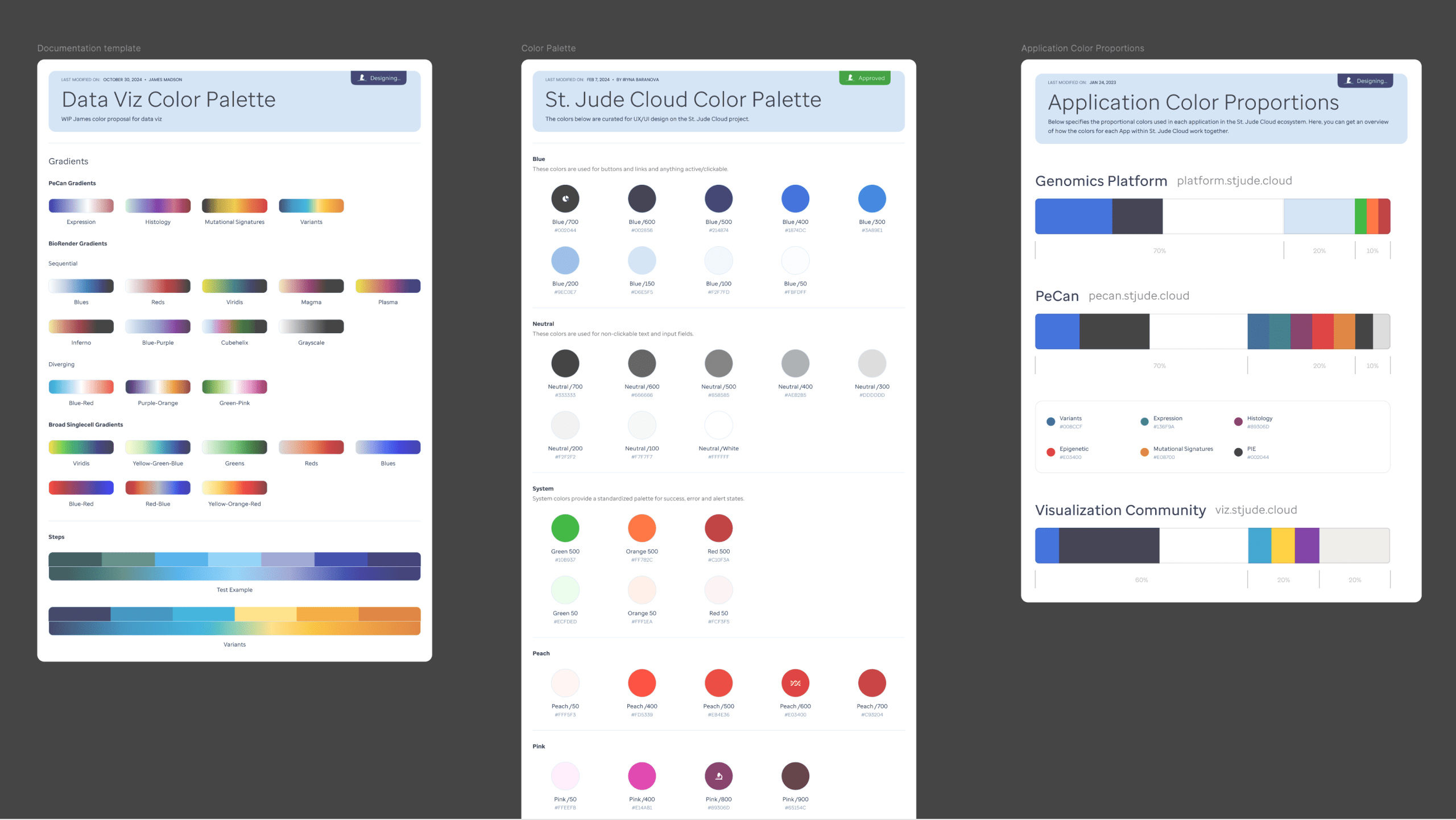 Design system colors
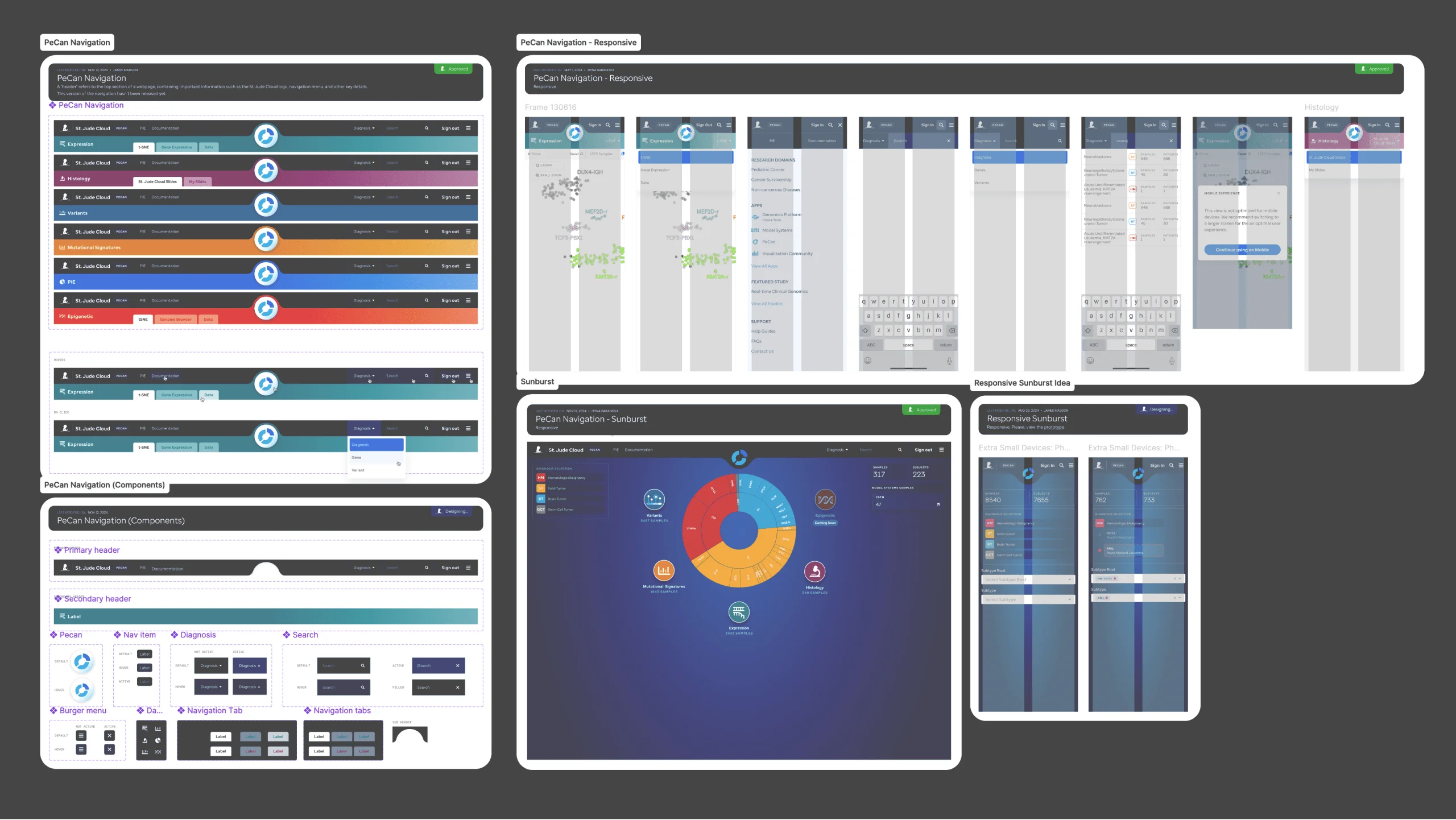 Design system navigation components
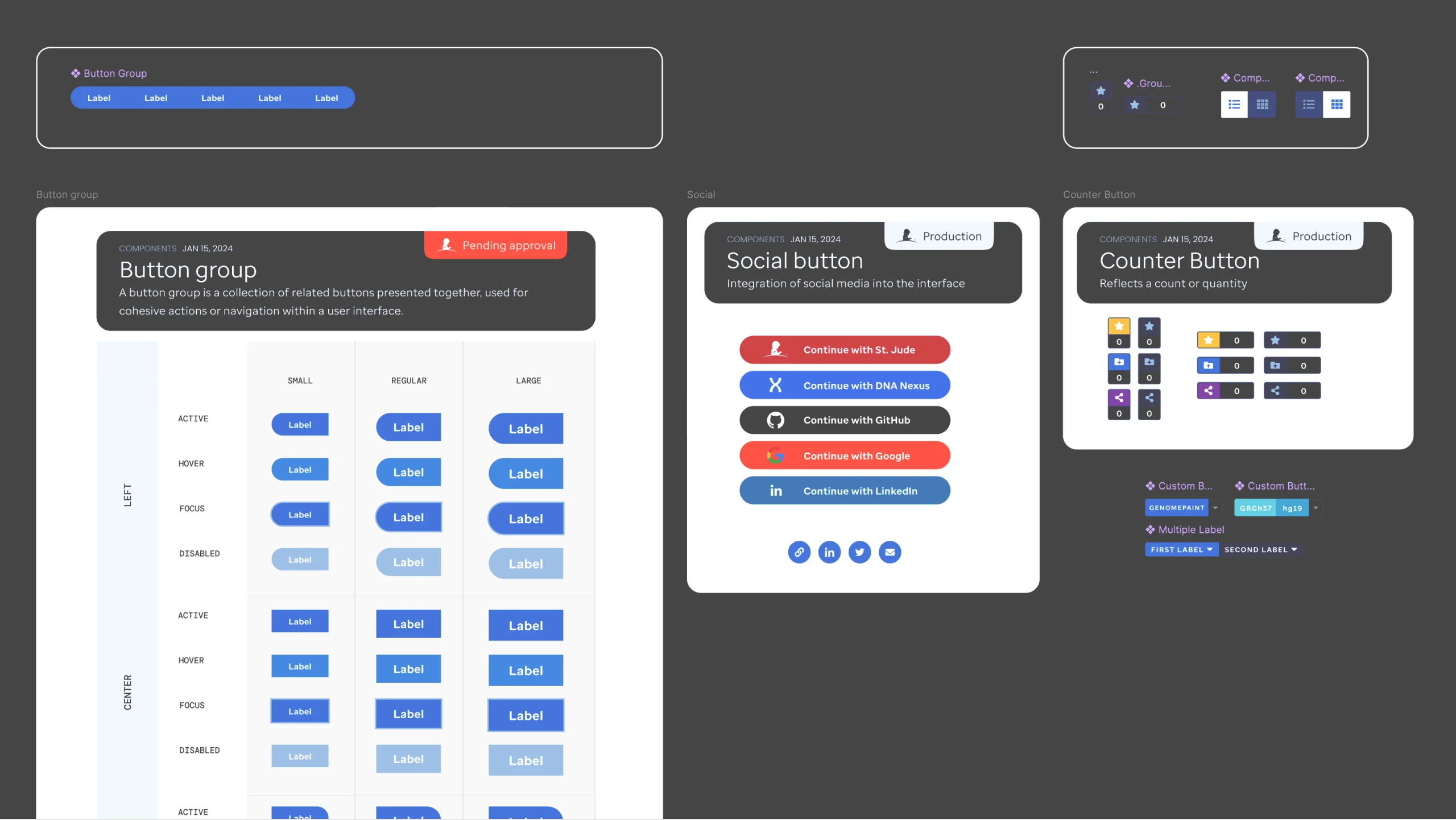 Design system buttons
 Membrane toggle UI component
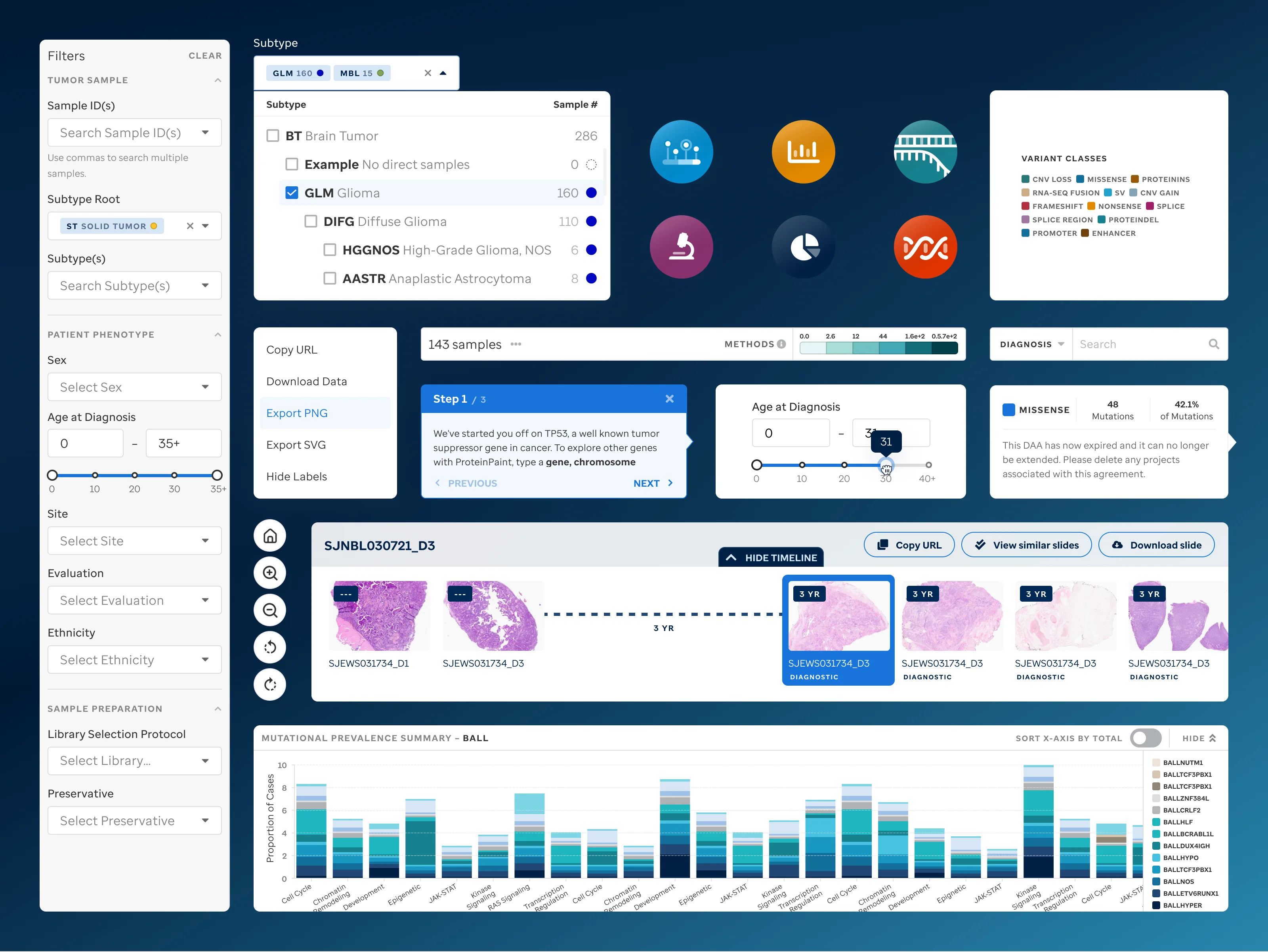 Image and kern UI element styles
Launch & Communication Support
Launch planning, newsletters, and rollout strategy.
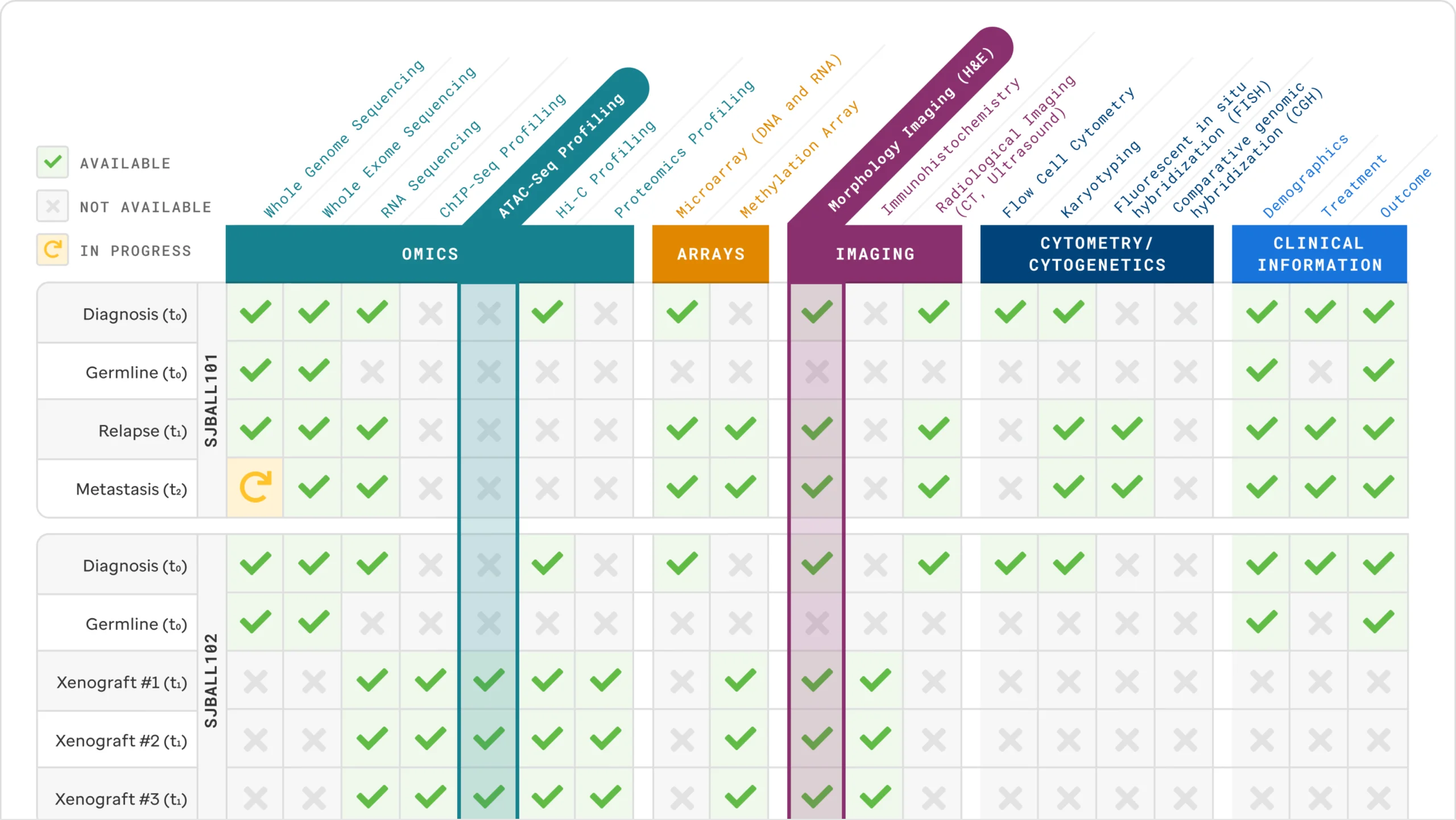 Data table presenting the data available within the PeCan platform
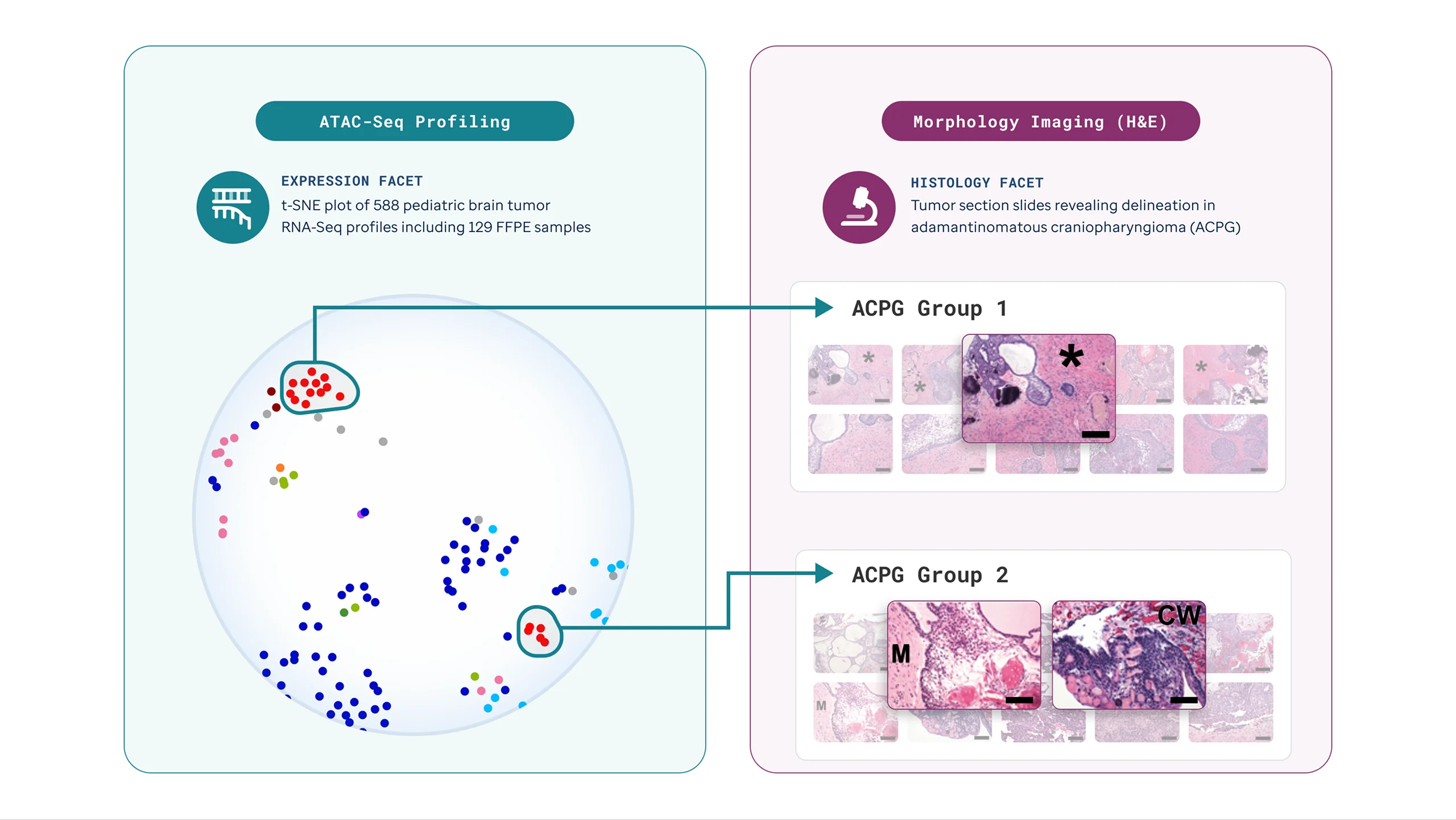 Presentation slide illustrations for launch communications
Design
Dense tables and long lists became flexible data views that surface relationships between datasets, diagnoses, and publications.
Structured grids and soft neutrals, so the interface reads as calm rather than clinical. Every page was restructured around what a researcher needs first.
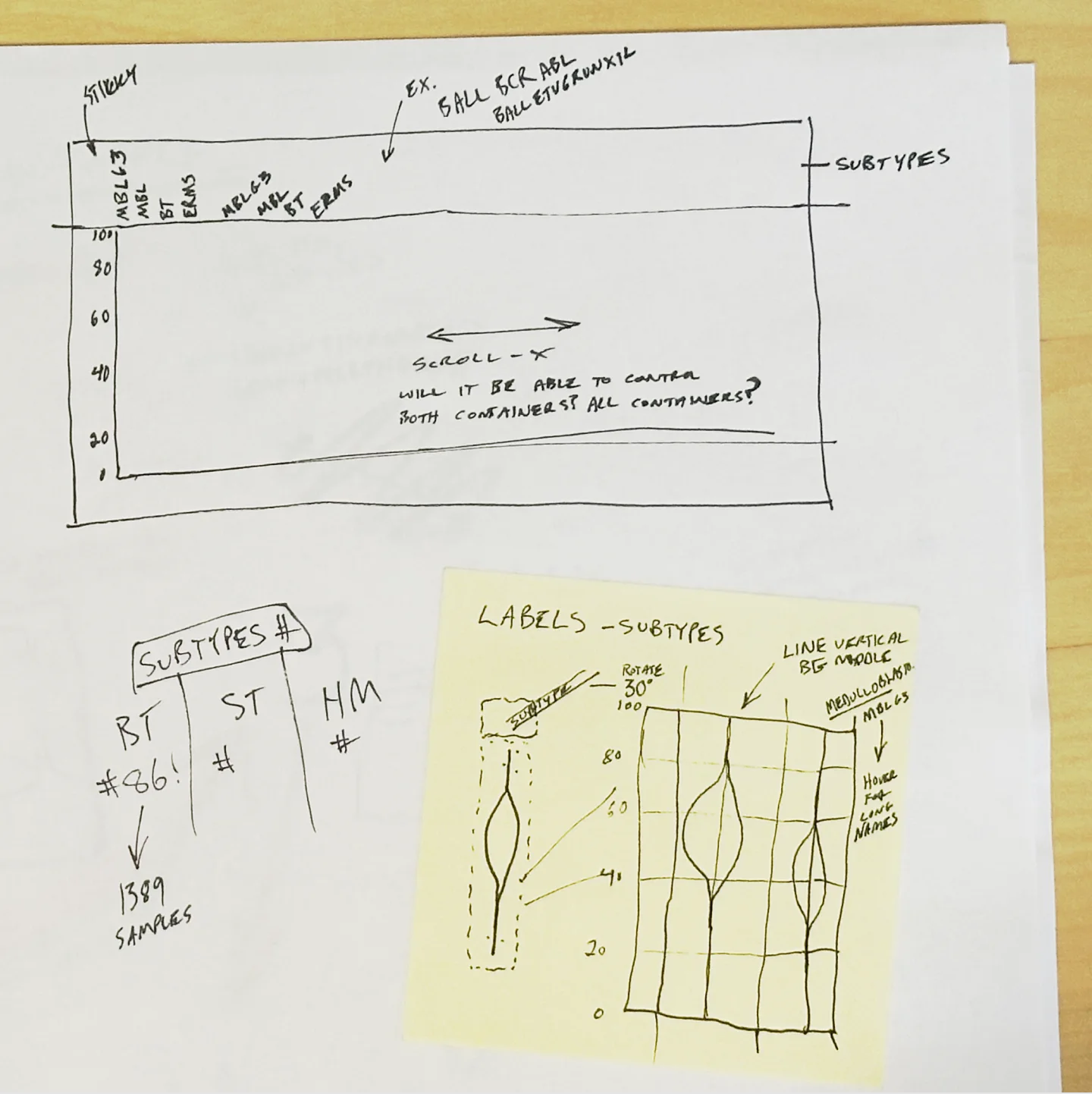 Early sketch for displaying multiple gene's expressions across subtypes
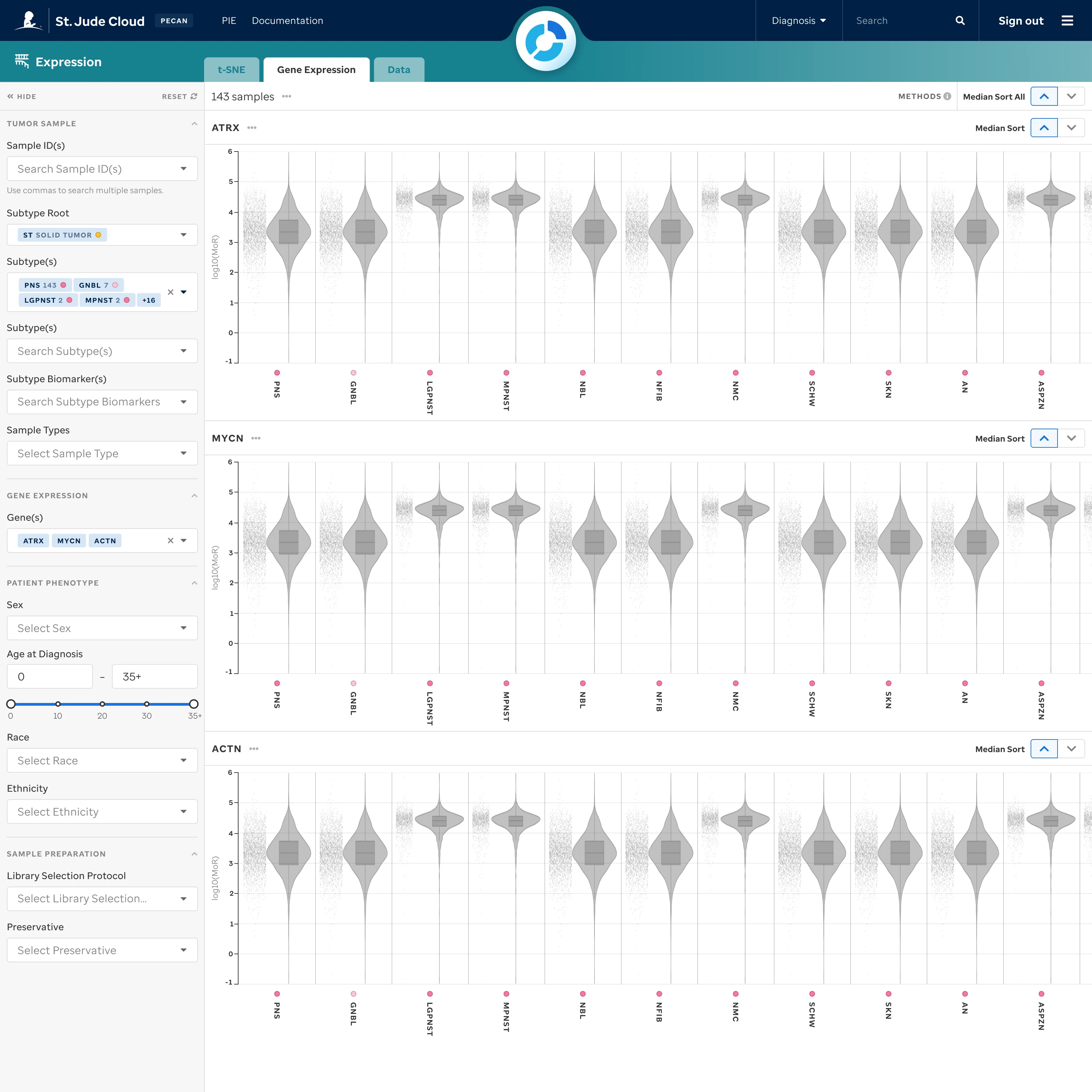 Expression data facet's compact display of gene expression for multiple genes across subtypes
There were a lot of dense bar charts. Between contextual visibility, colors, and orientation these provided massive amounts of data in a small space.
Expression data facet's compact display of gene expression for multiple genes across subtypes
There were a lot of dense bar charts. Between contextual visibility, colors, and orientation these provided massive amounts of data in a small space.
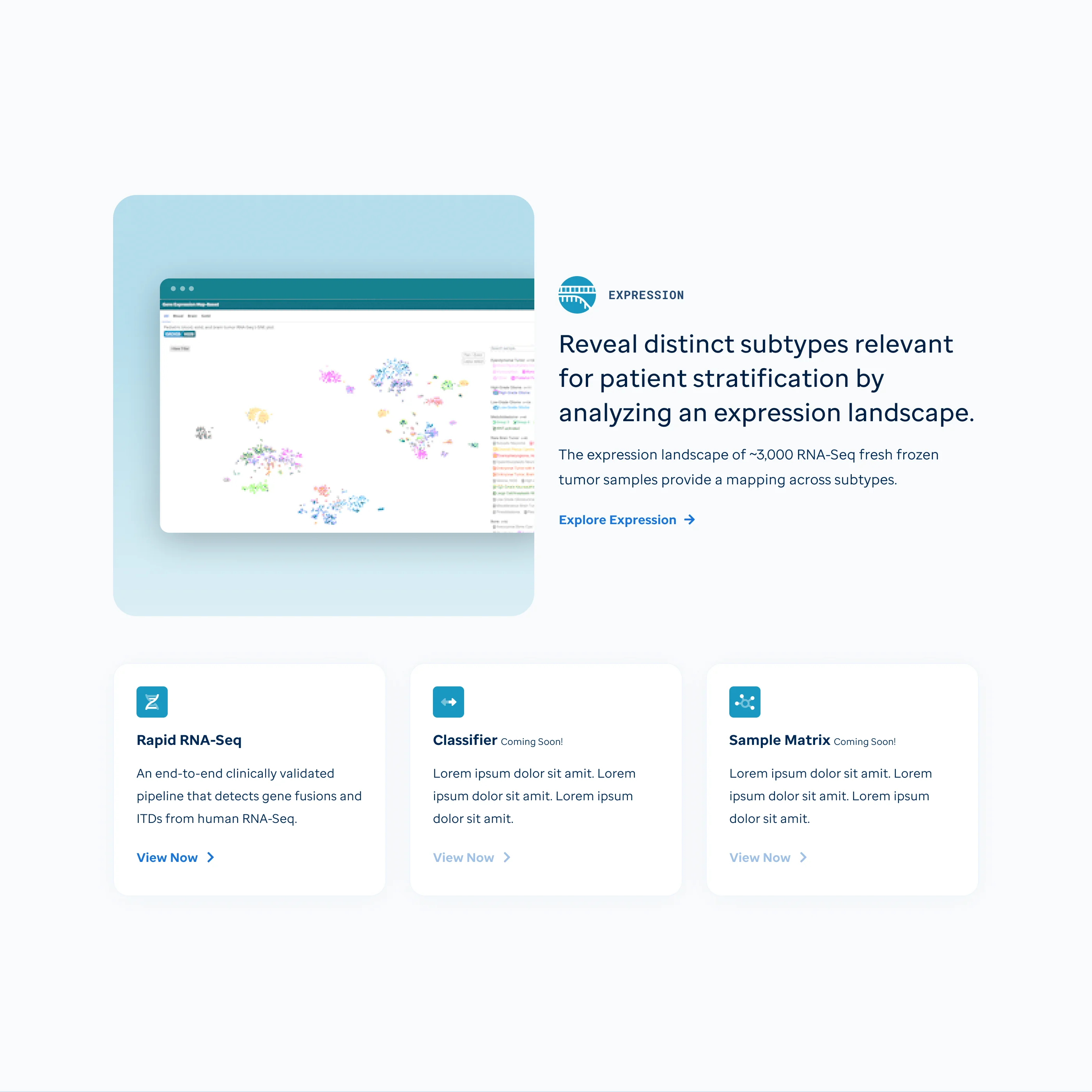 Expression data facet homepage
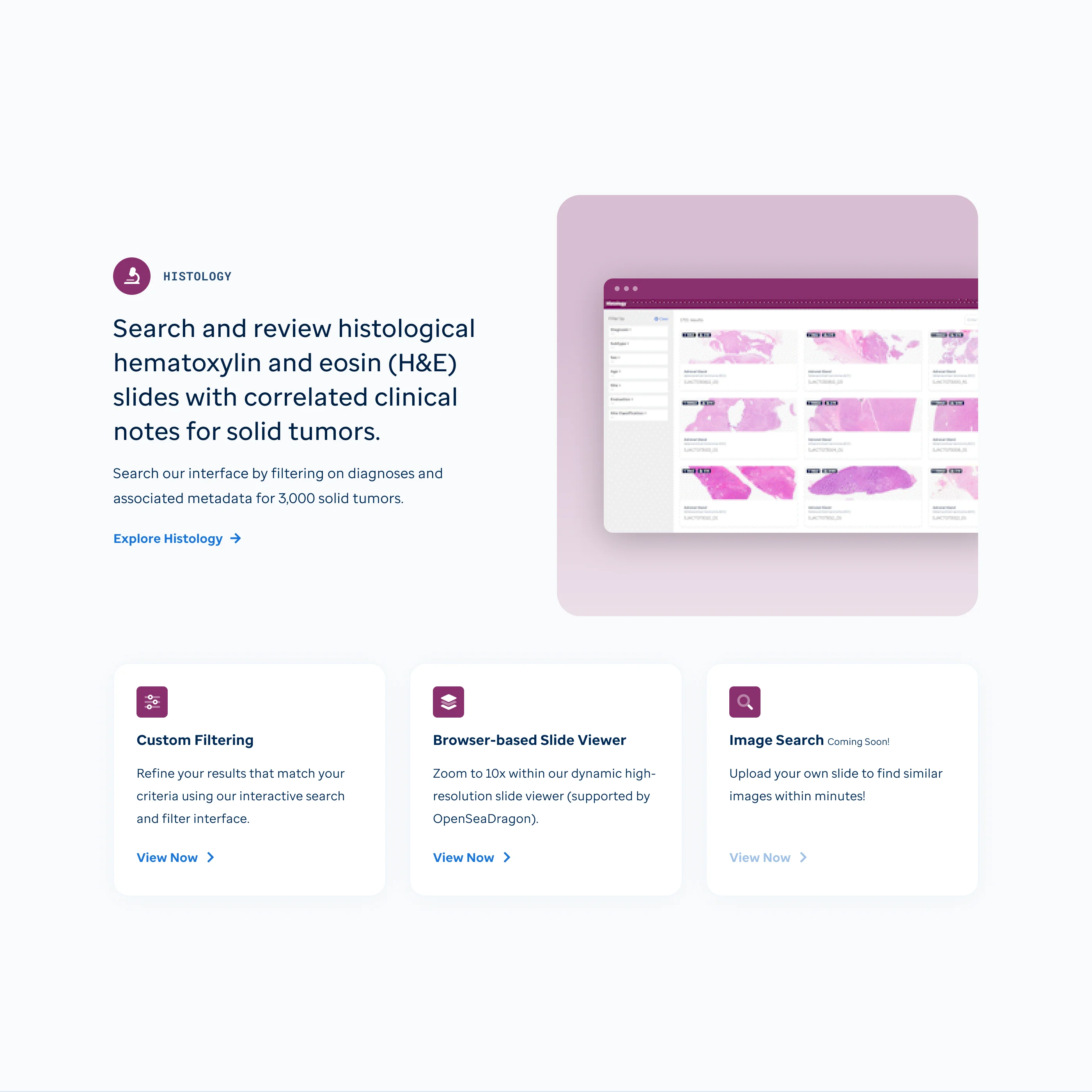 Histology data facet homepage
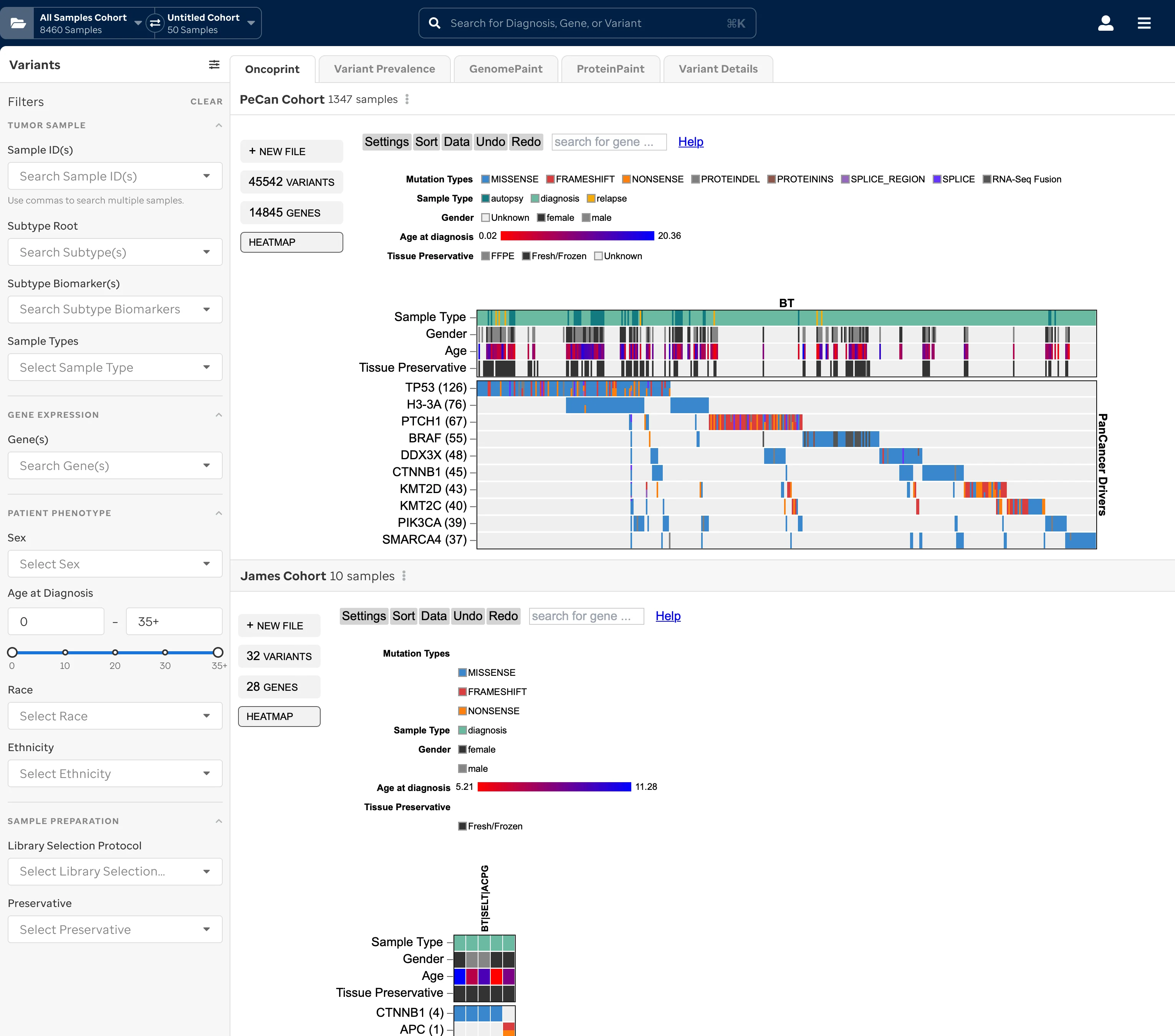
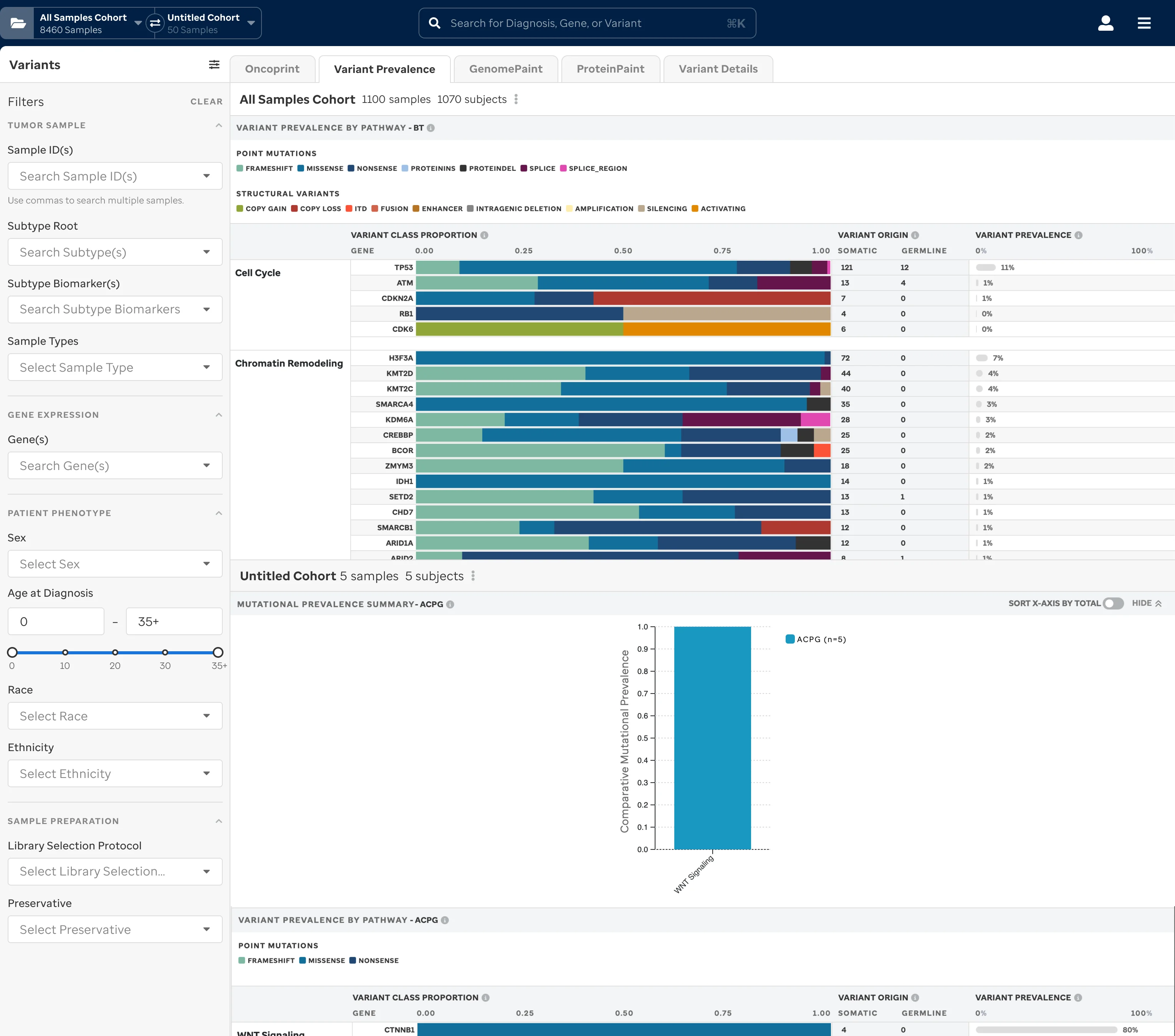
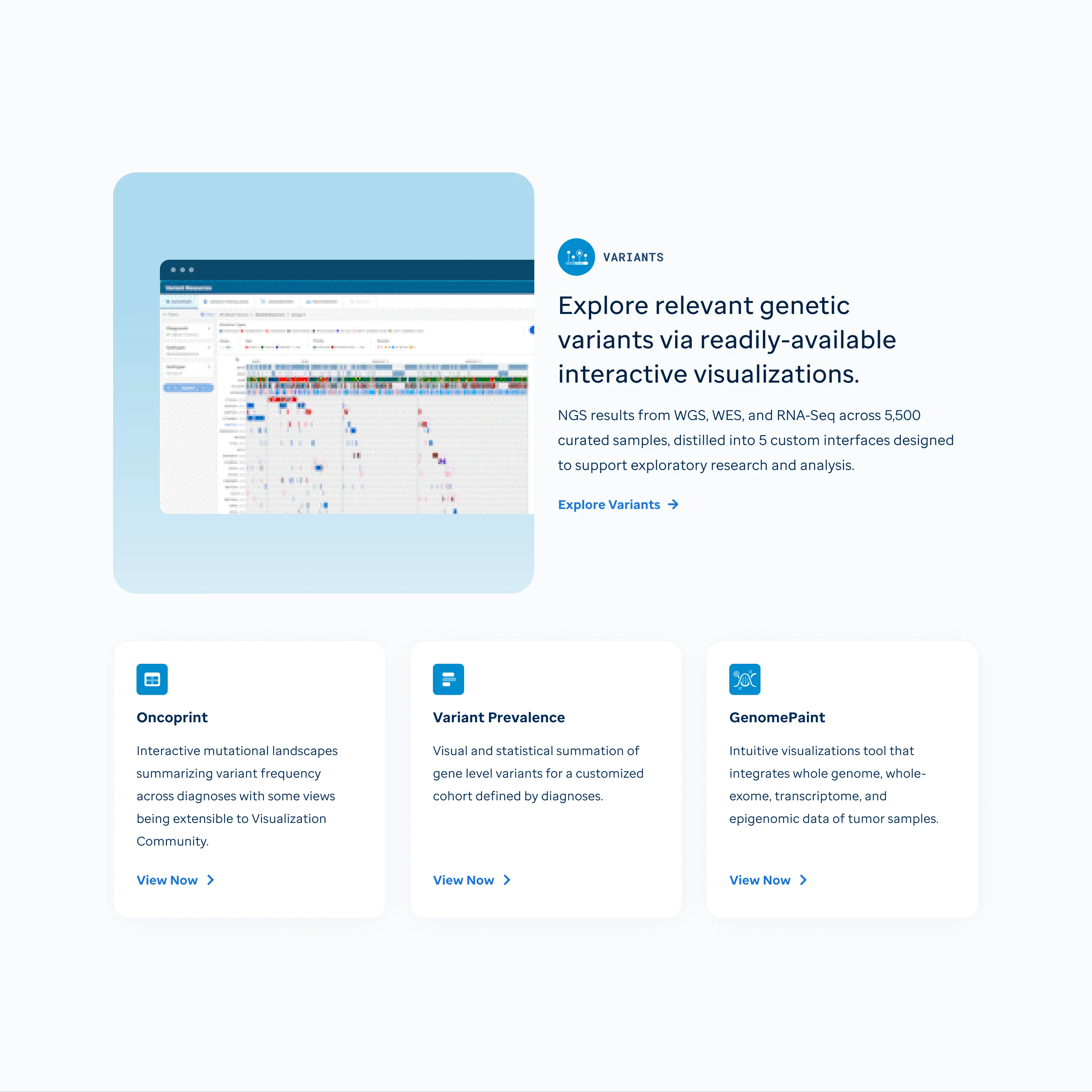 Variants data facet homepage
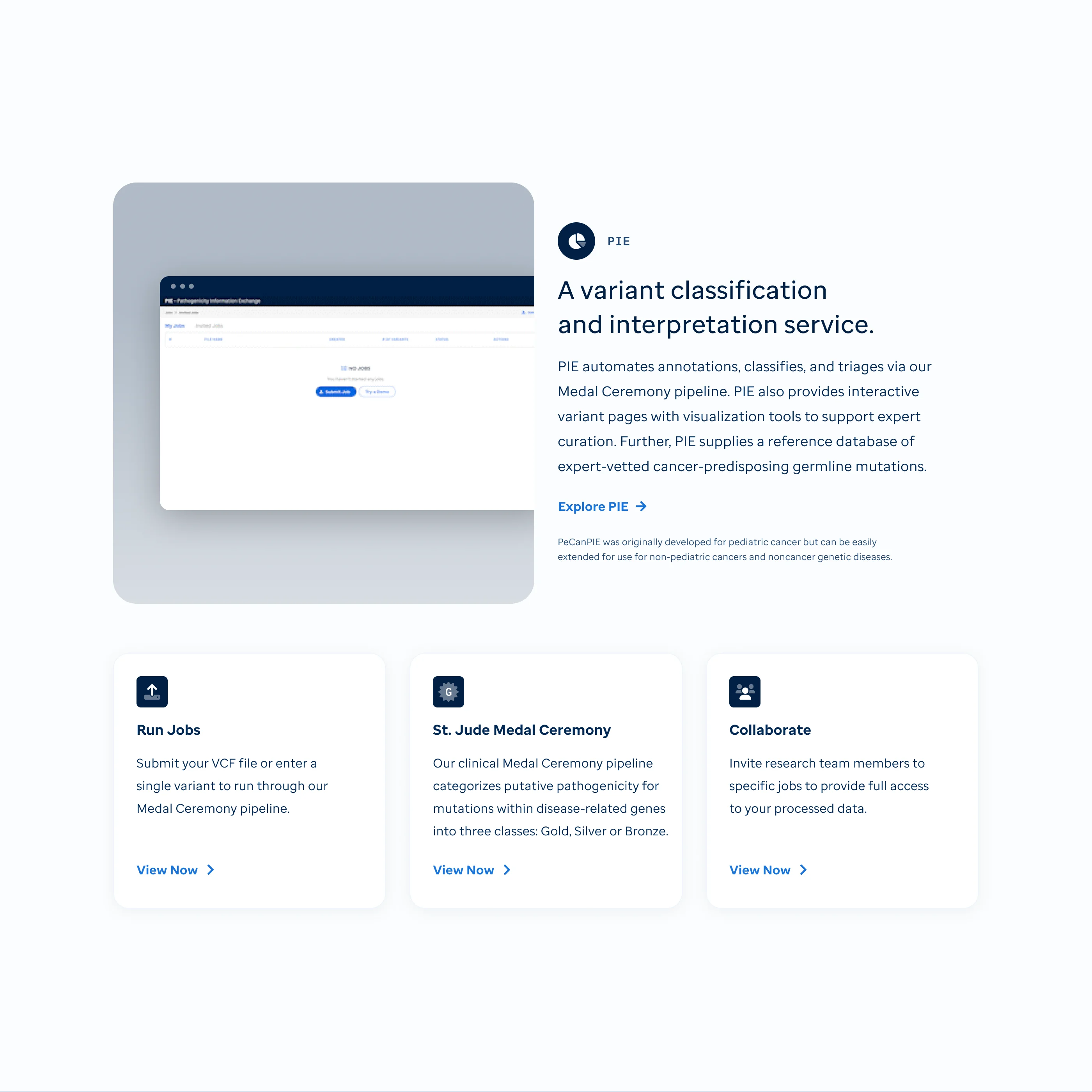 Pie chart data summary view
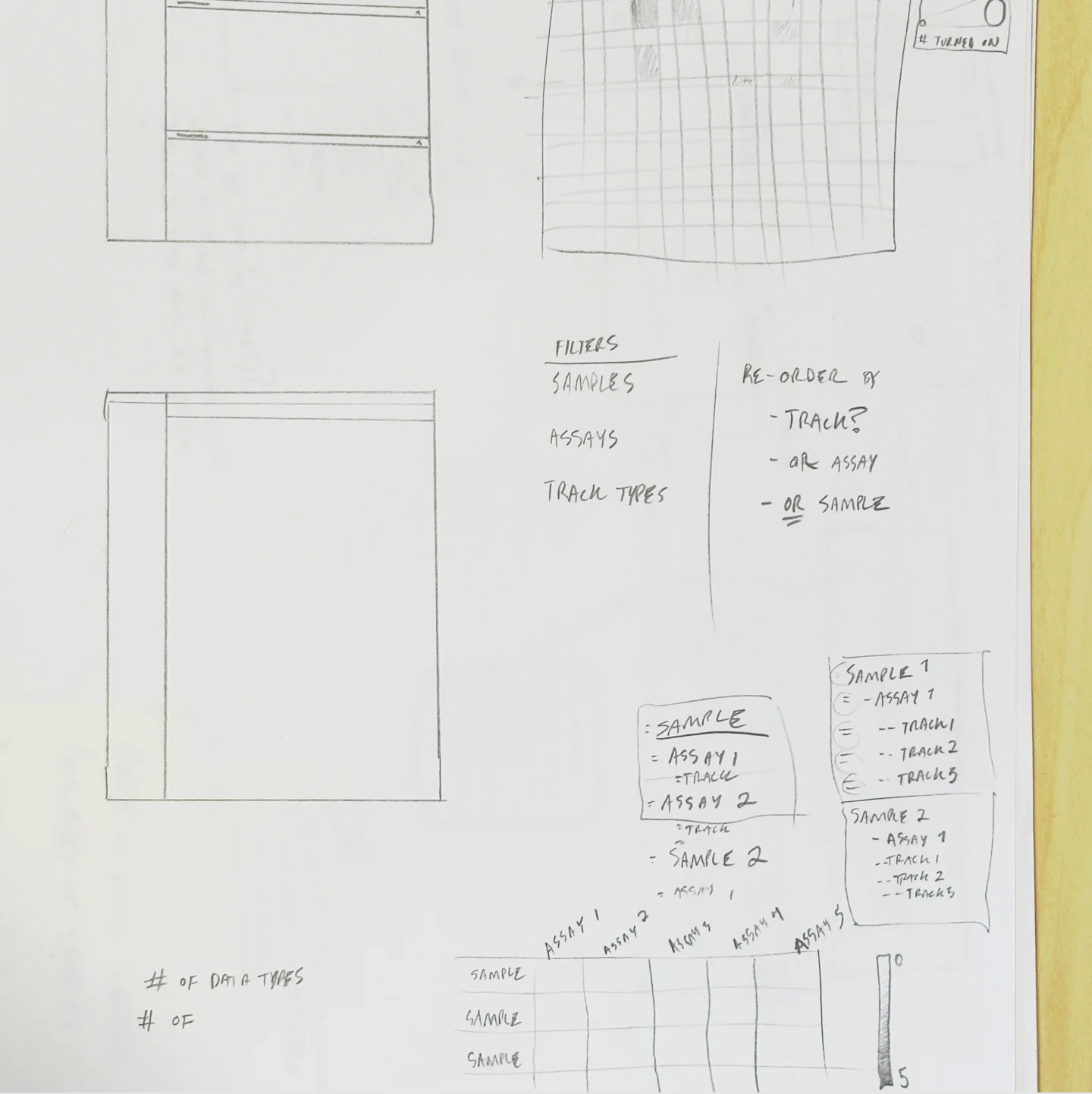 Early ideation sketches for assay data visualizations
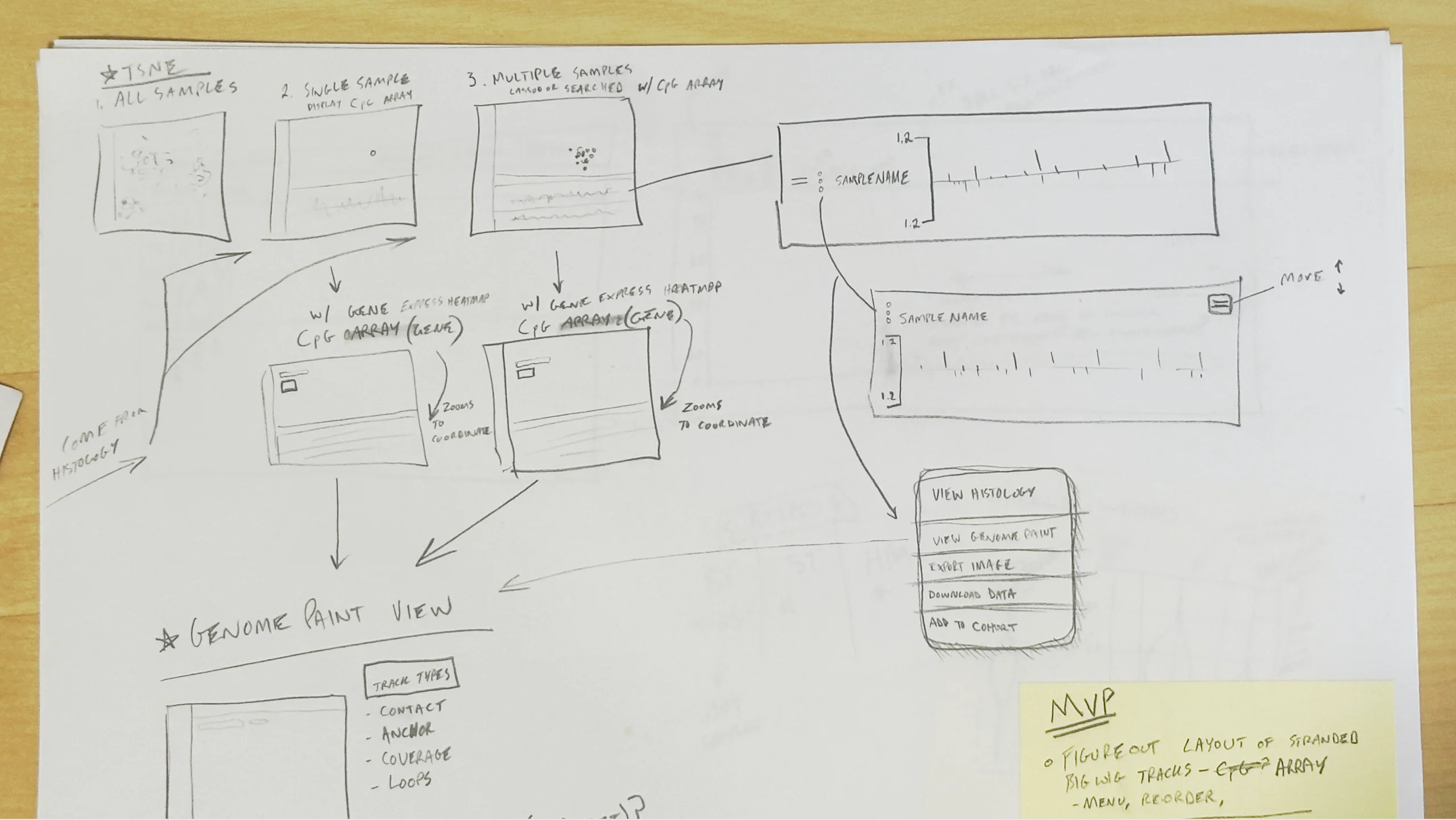 tSNE differential gene expression UX flow
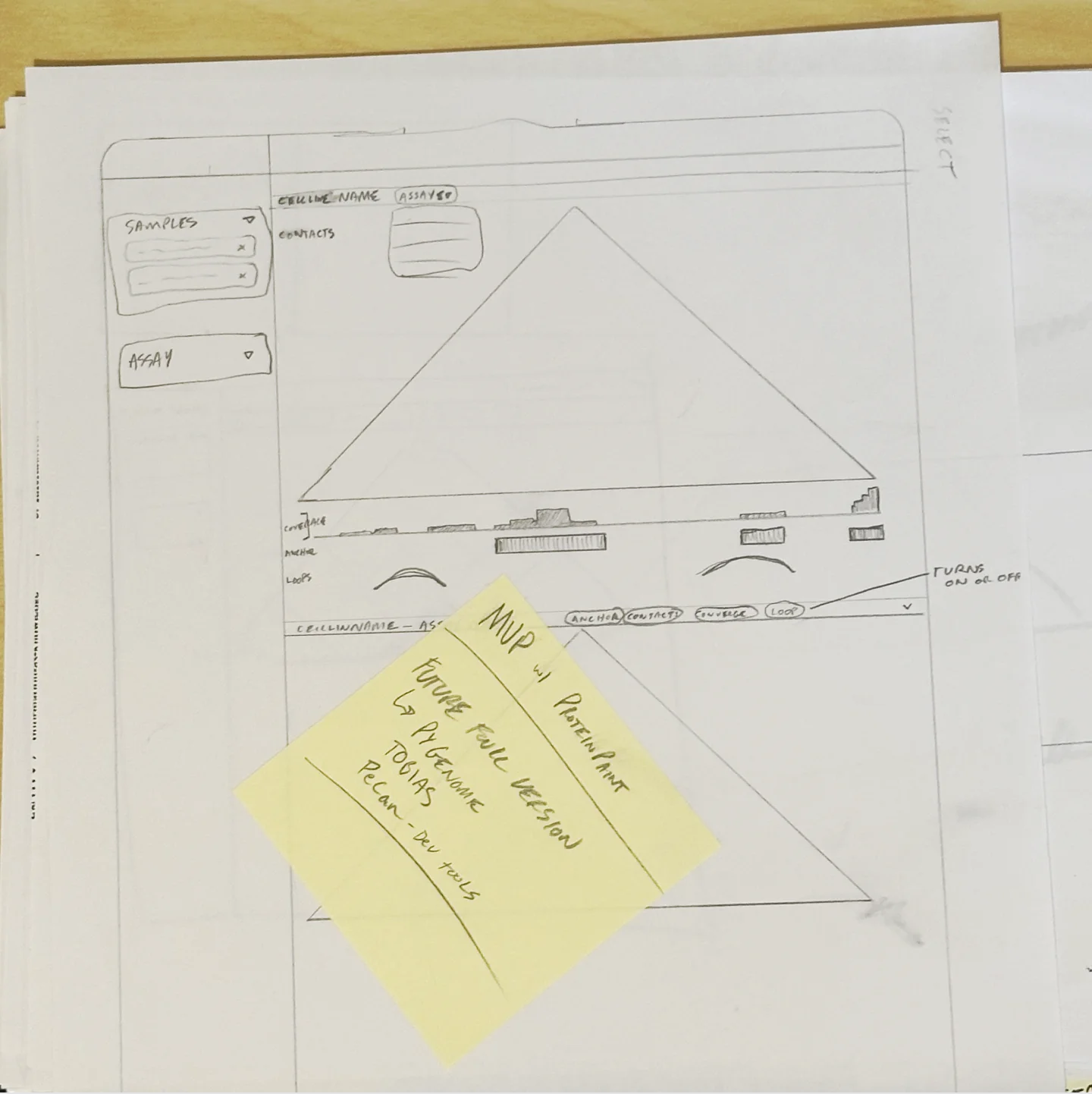 HiC data visualization sketch
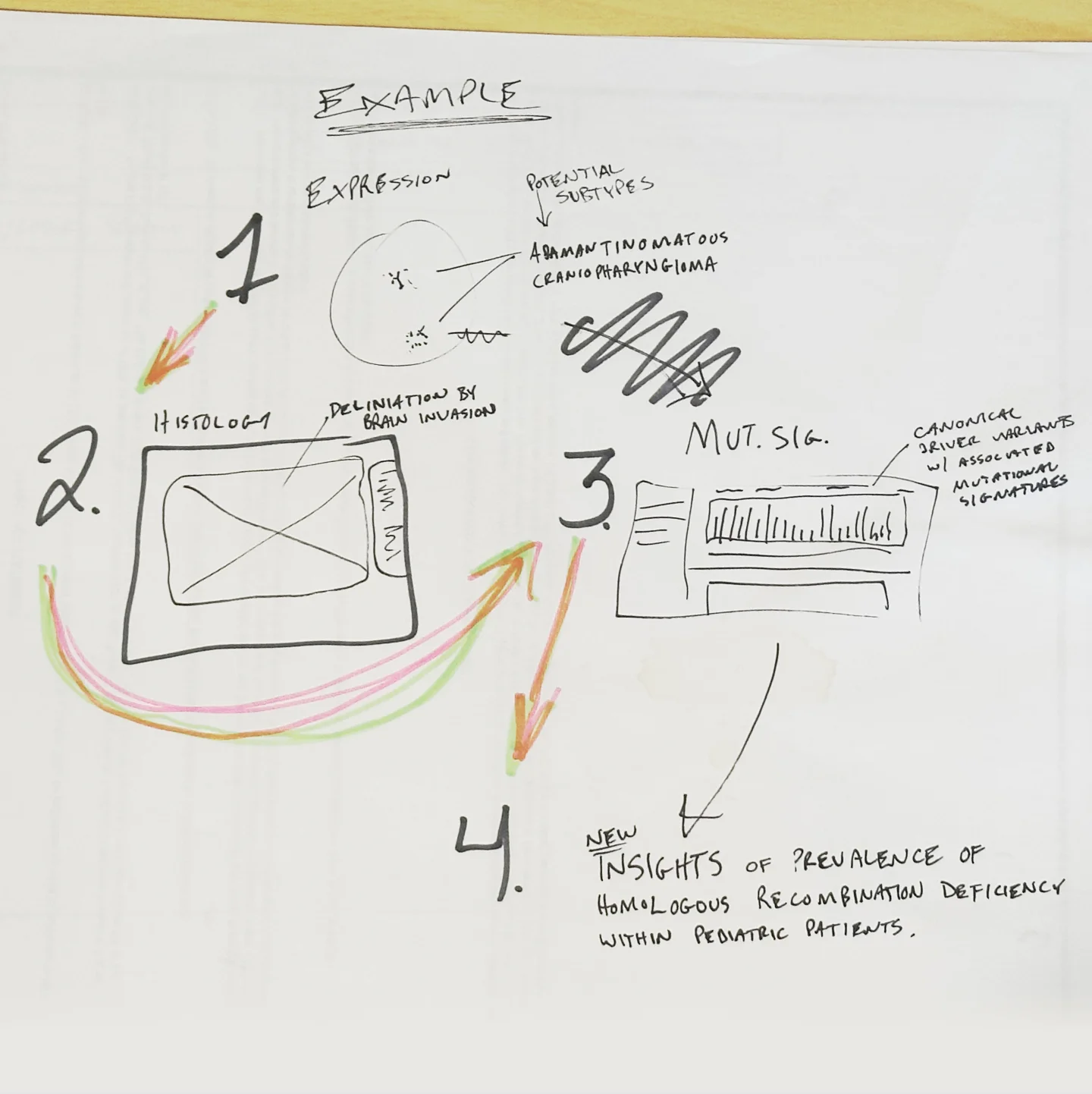 UX flow diagram for PeCan data facets
Cohort Building
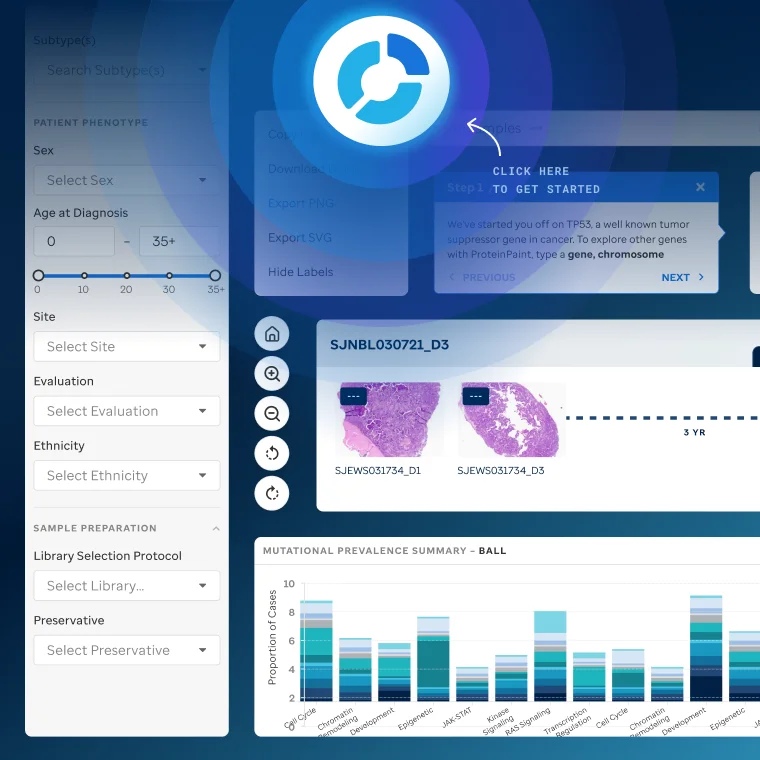
Cohort building is PeCan's most powerful feature: group patient samples by diagnosis or mutation, then compare across the dataset.
I designed all of it, from concept sketches to the comparison views across expression, histology, and variants.
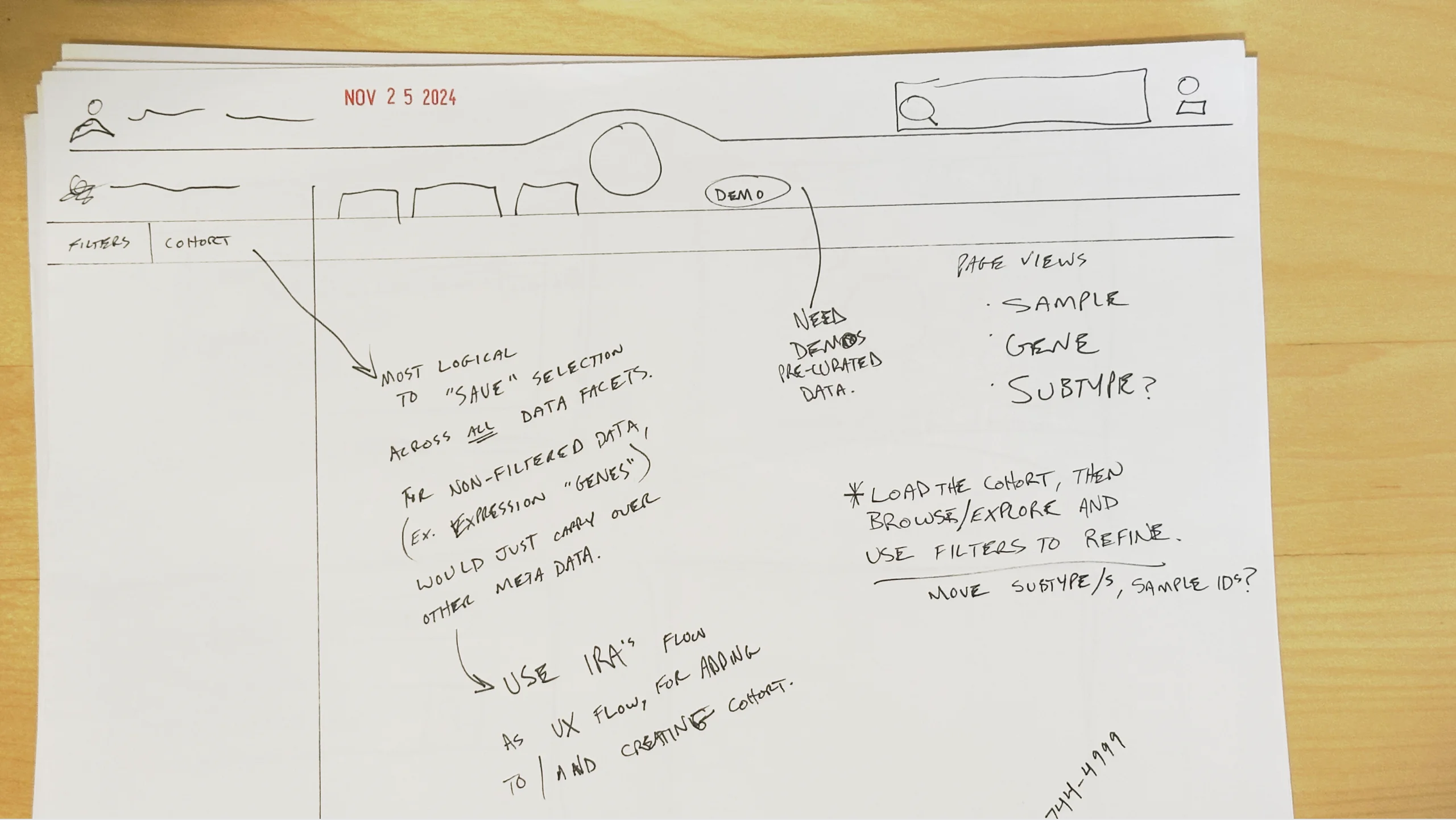 Early cohort building concept sketches
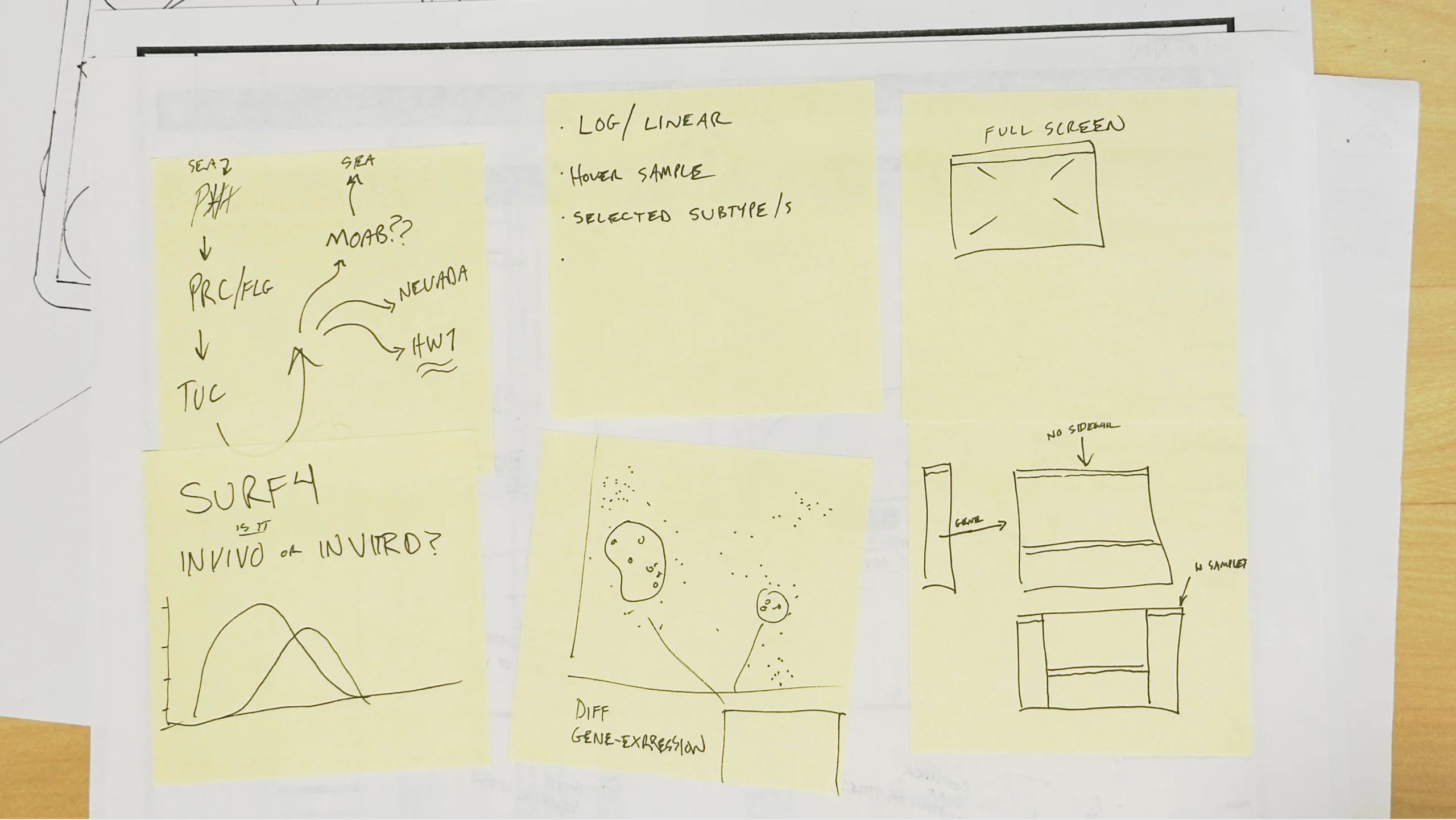 Gene cohort exploration sketches
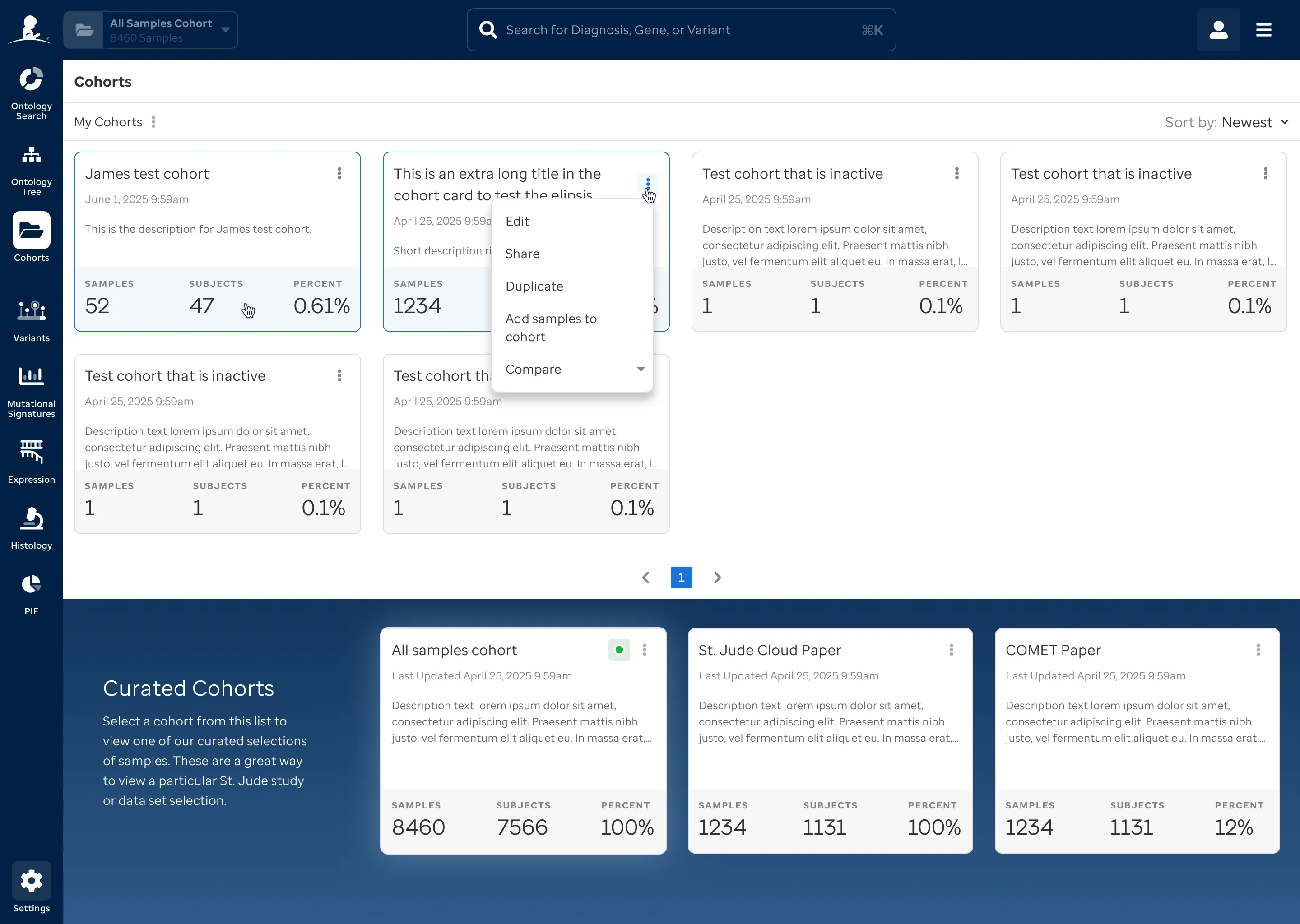 Cohort interaction mockup showing multi-cohort comparison flow
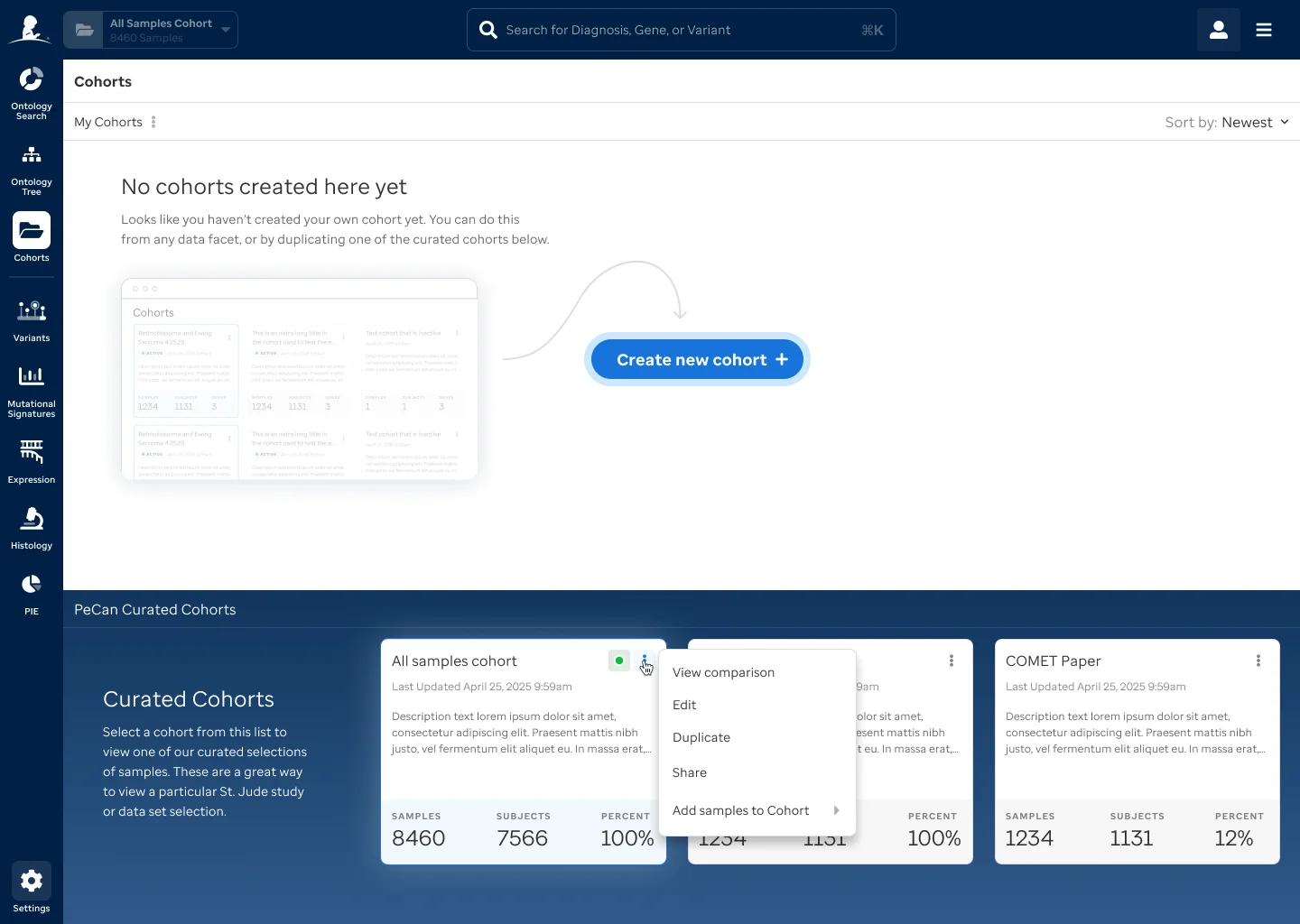 My Cohorts grid view
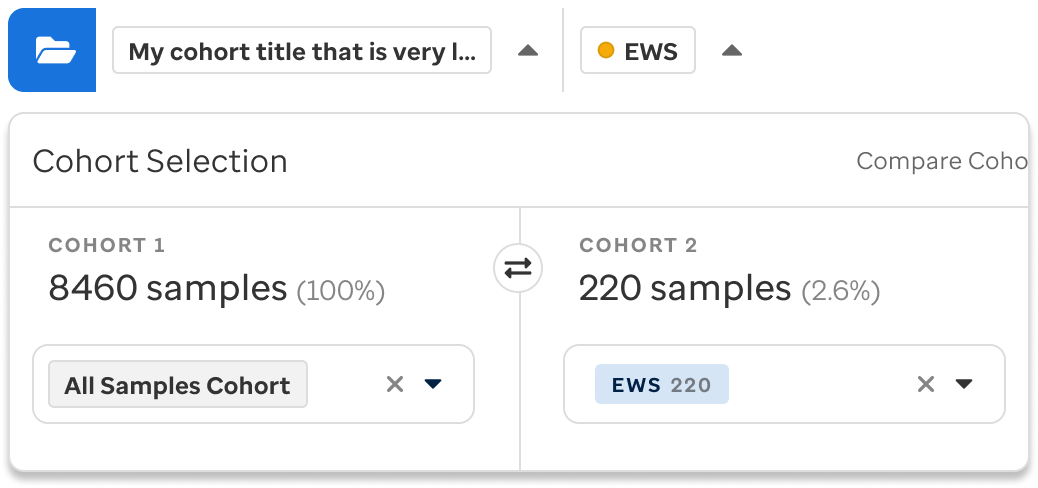 Cohort compare dropdown
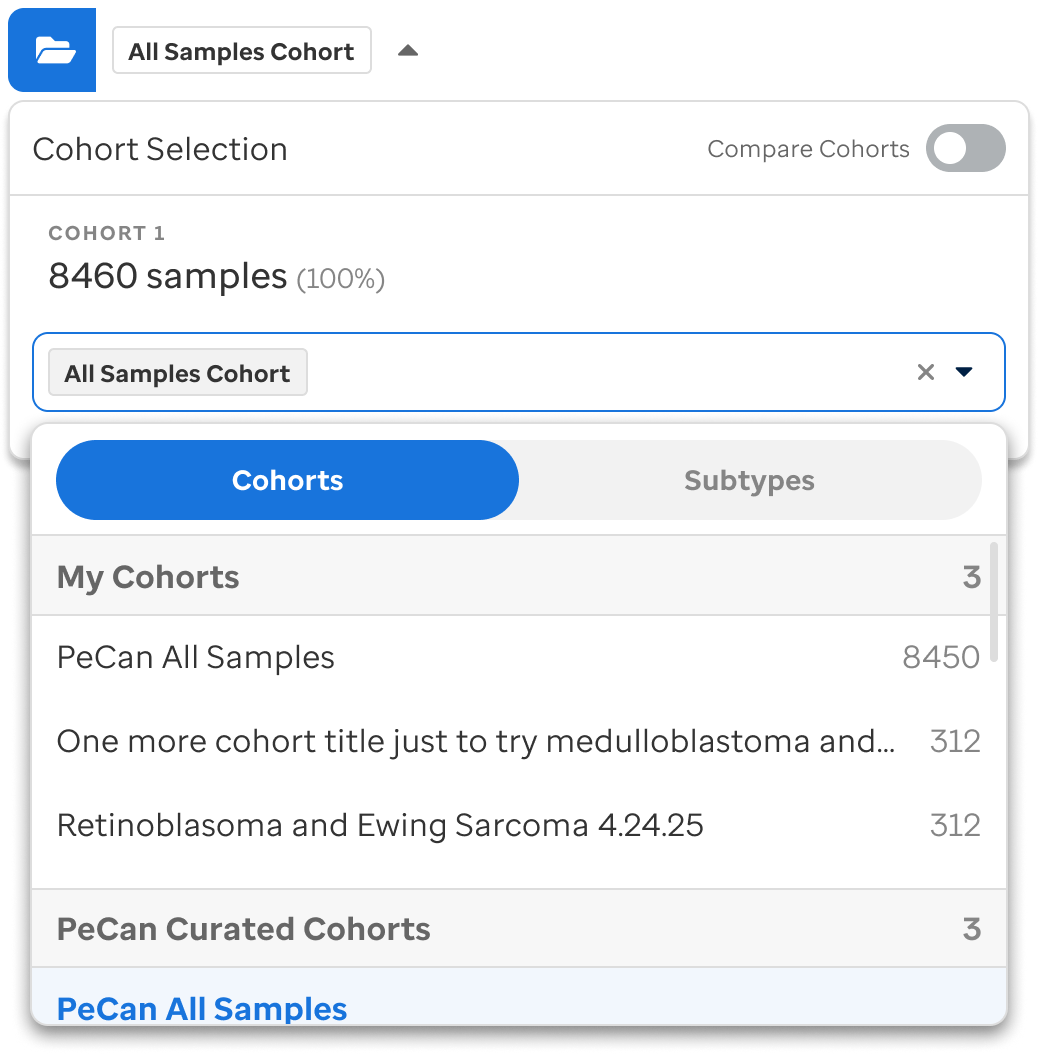 Cohort selection dropdown menu
 Cohort menu selection UX components
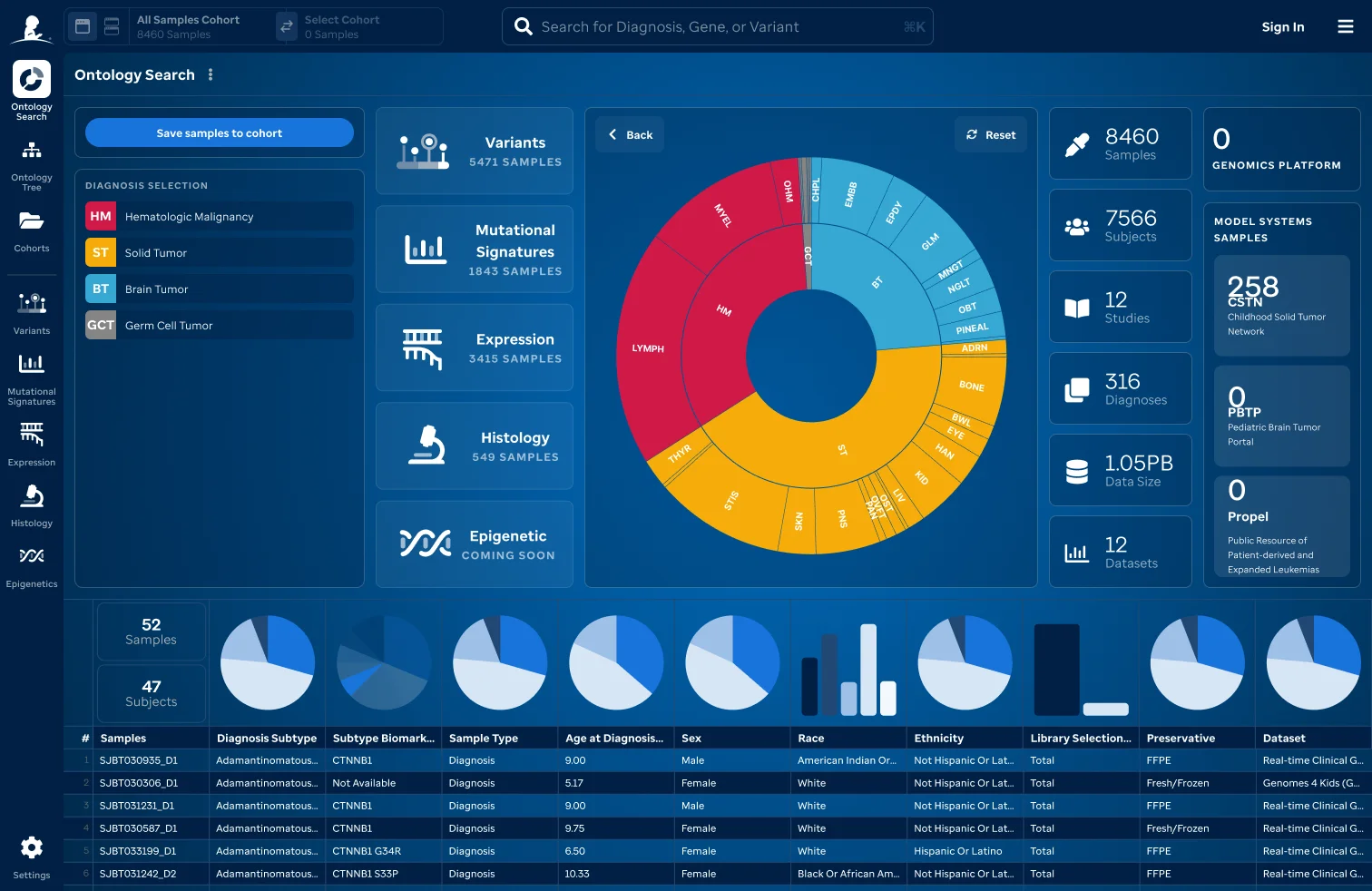 Ontology search: sunburst visualization
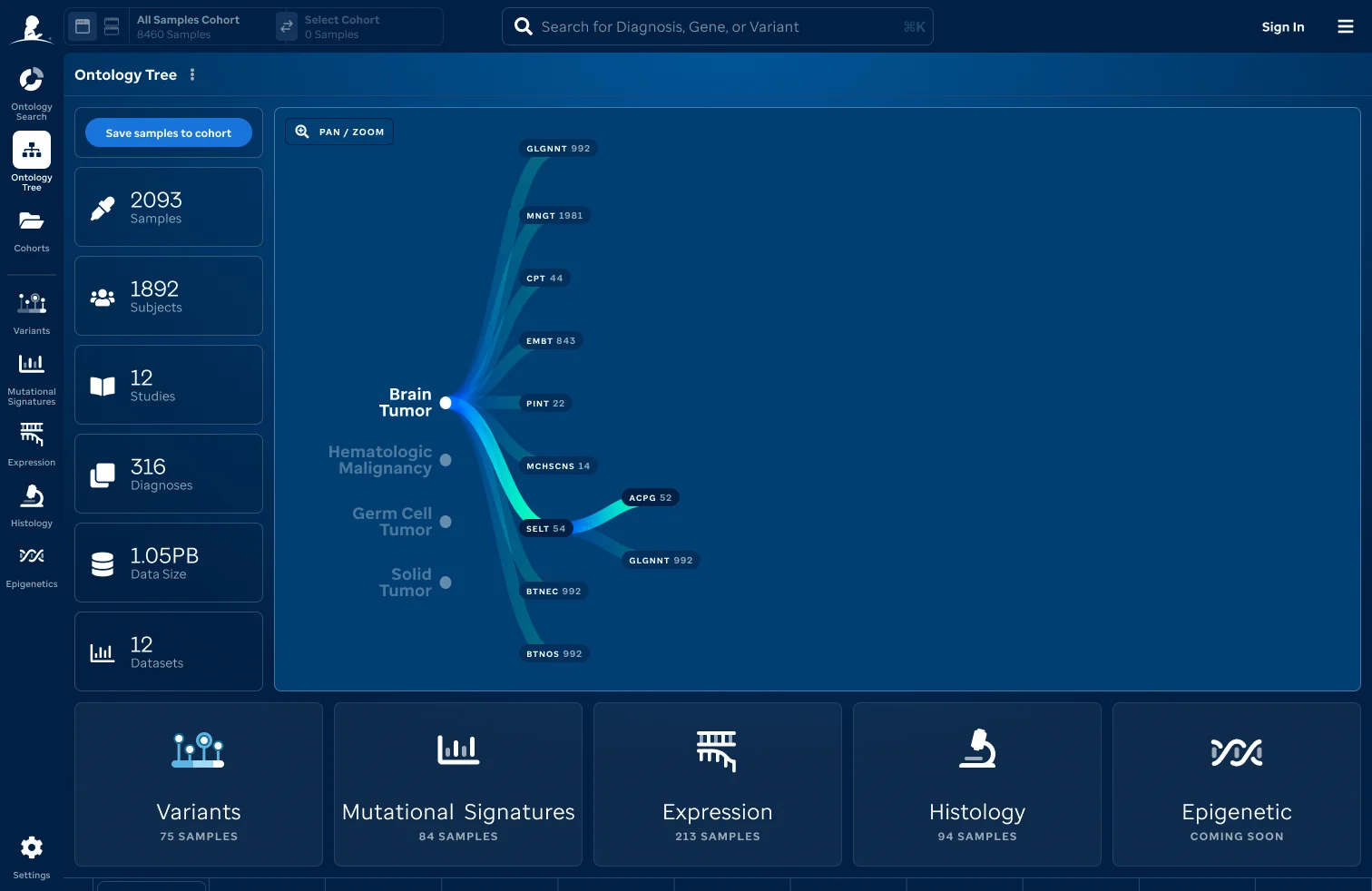 Ontology tree navigation
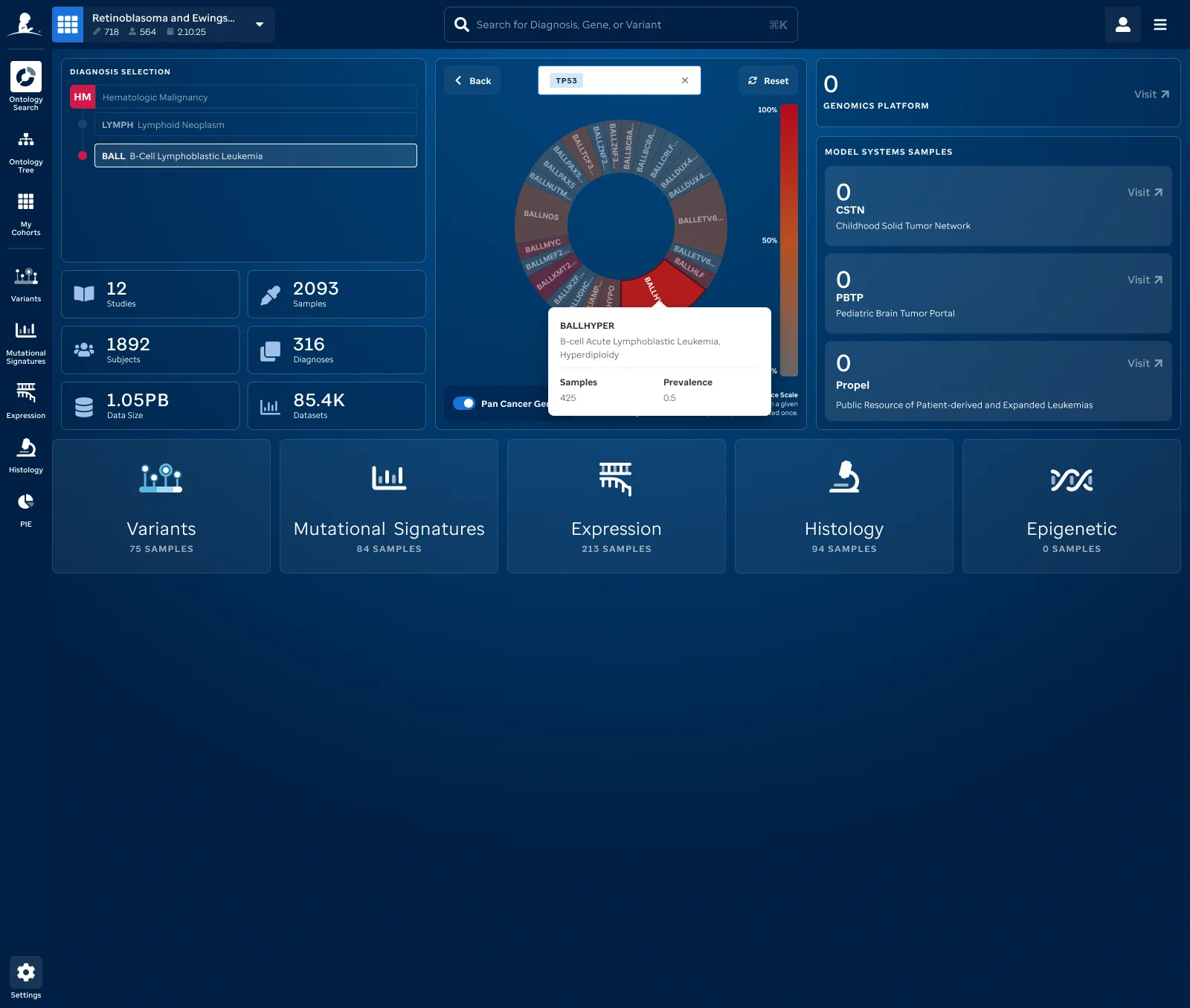 PeCan disease sunburst
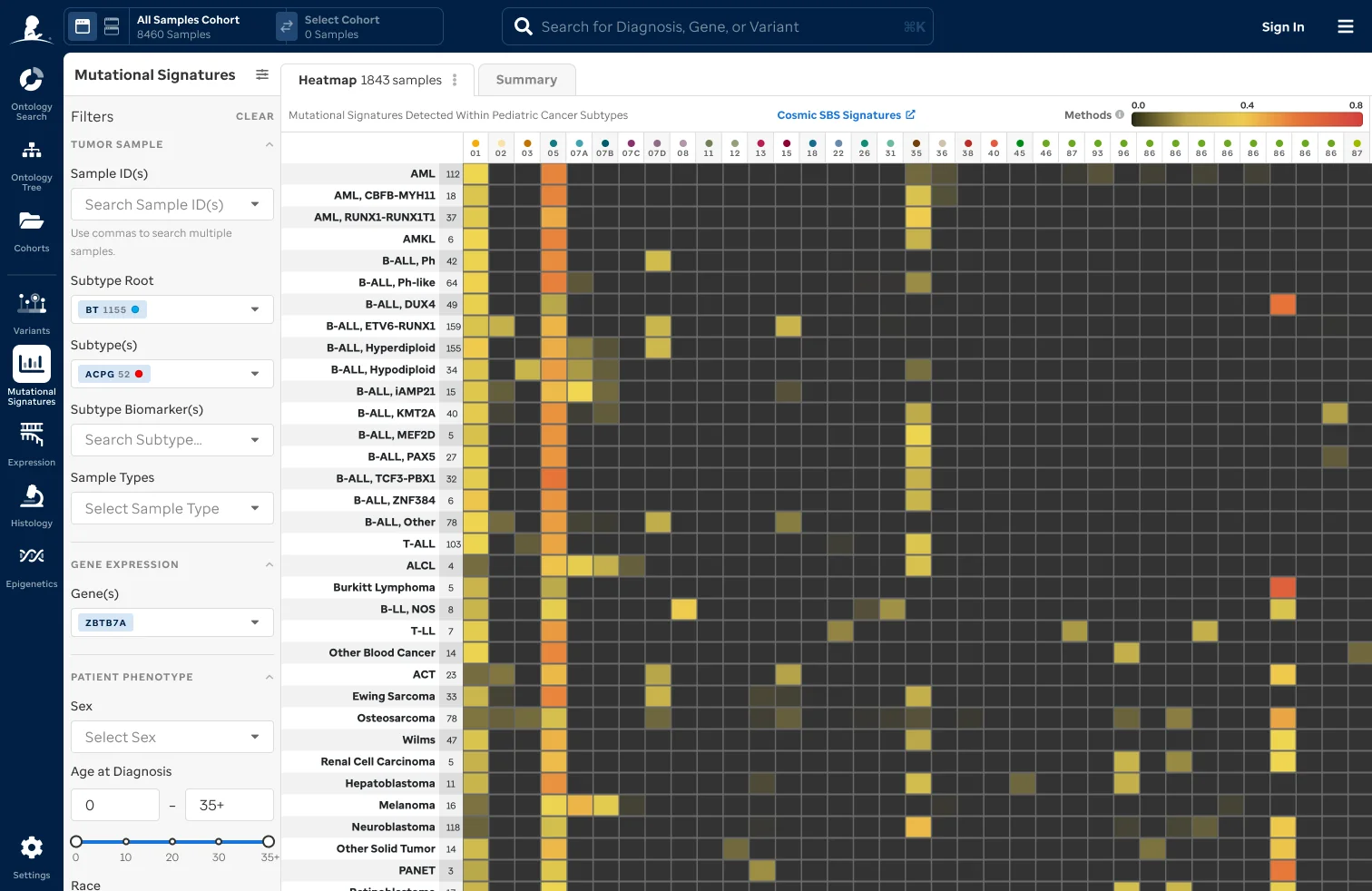 Mutational signatures view
 Cohort expression comparison
 Cohort expression prevalence comparison
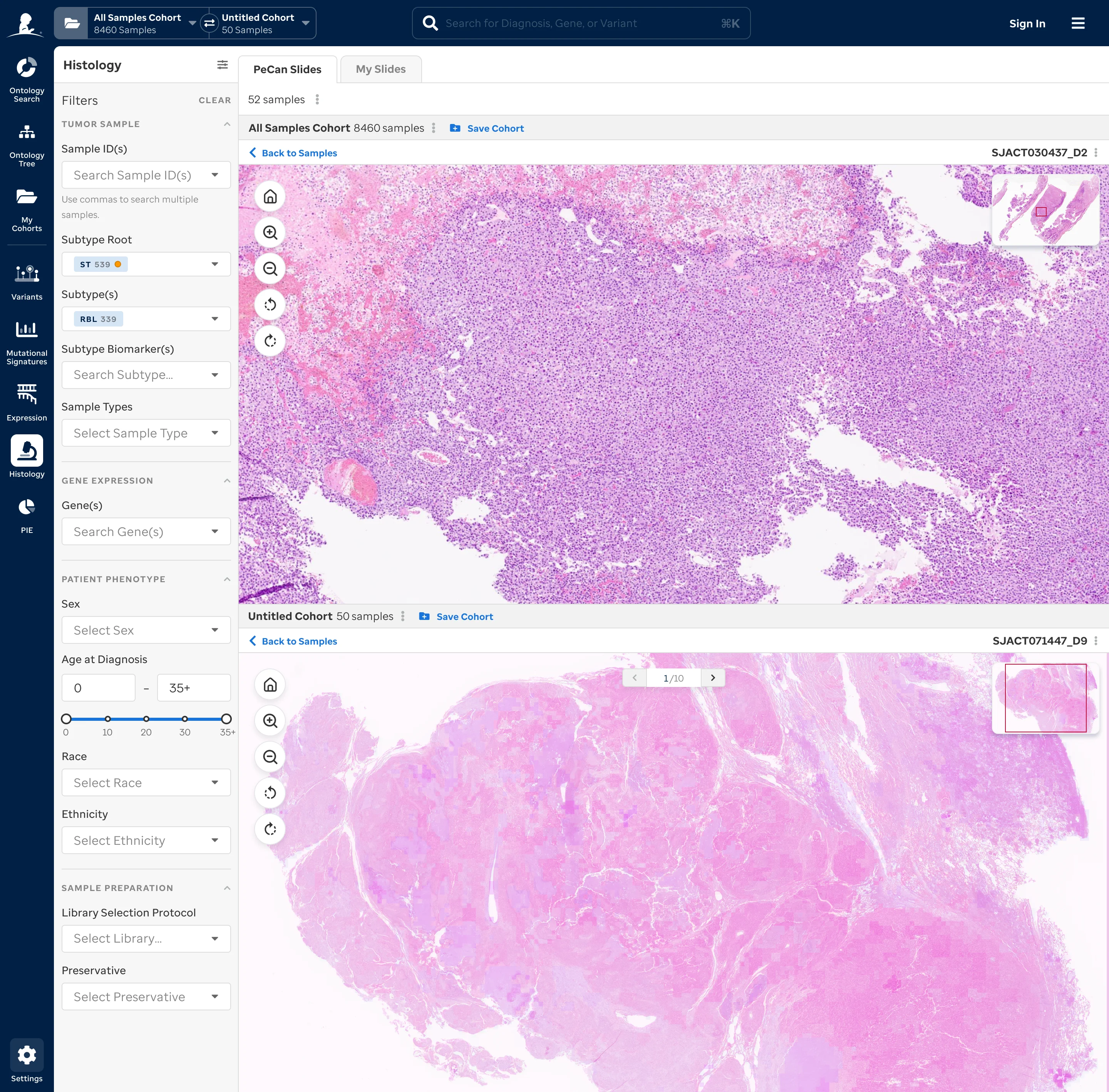 Cohort histology comparison
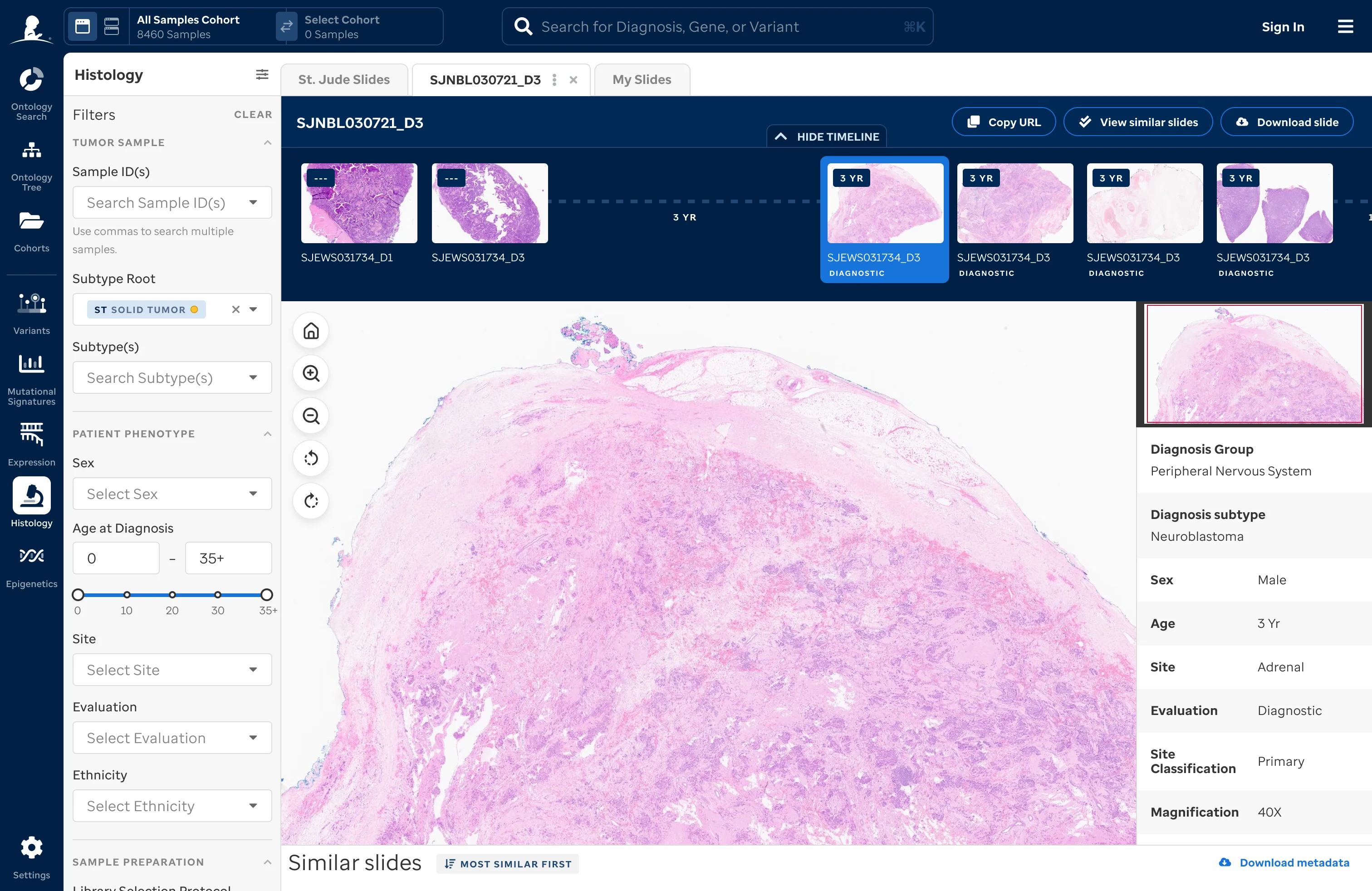 Cohort histology detail
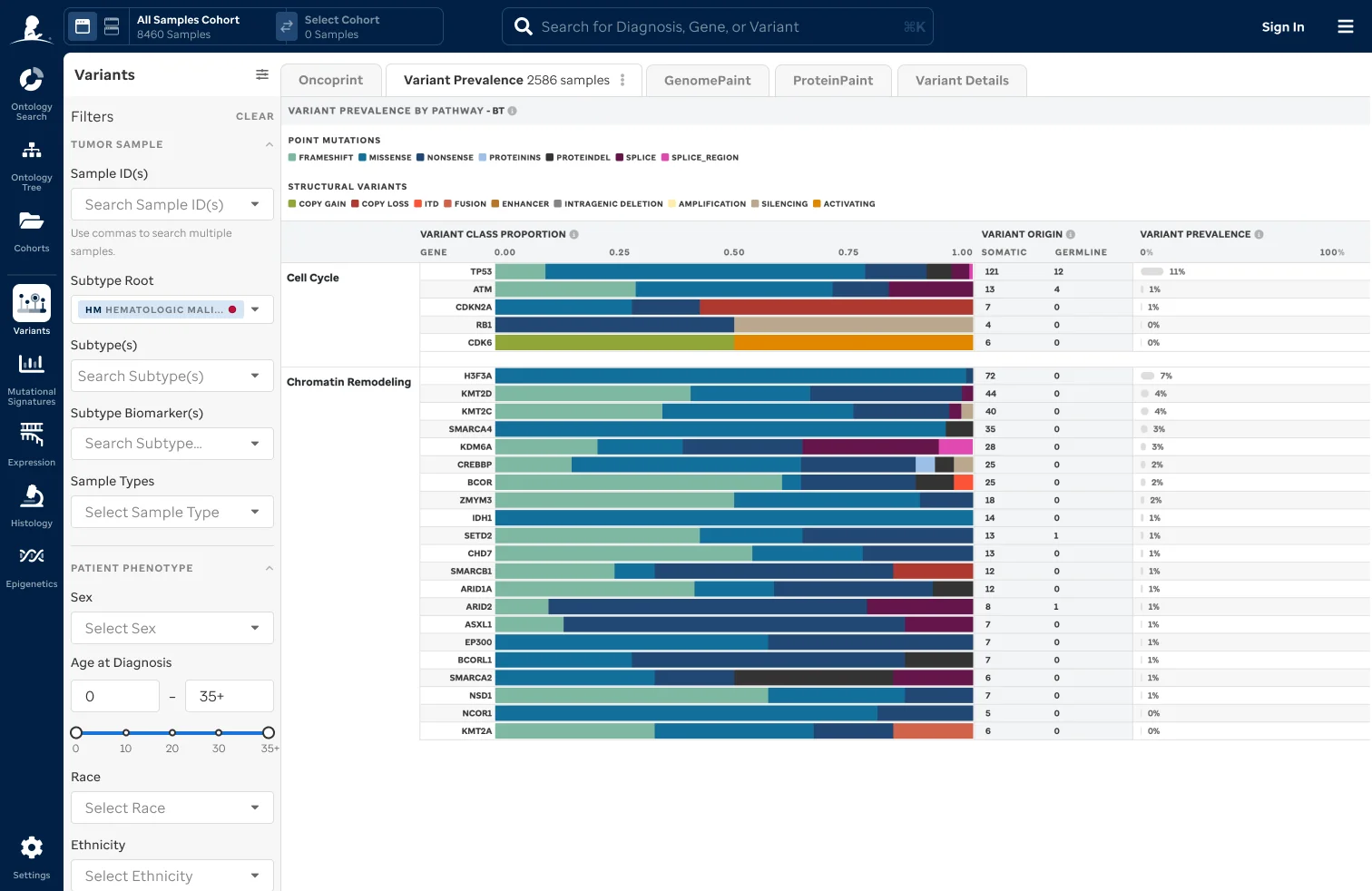 Cohort variants view
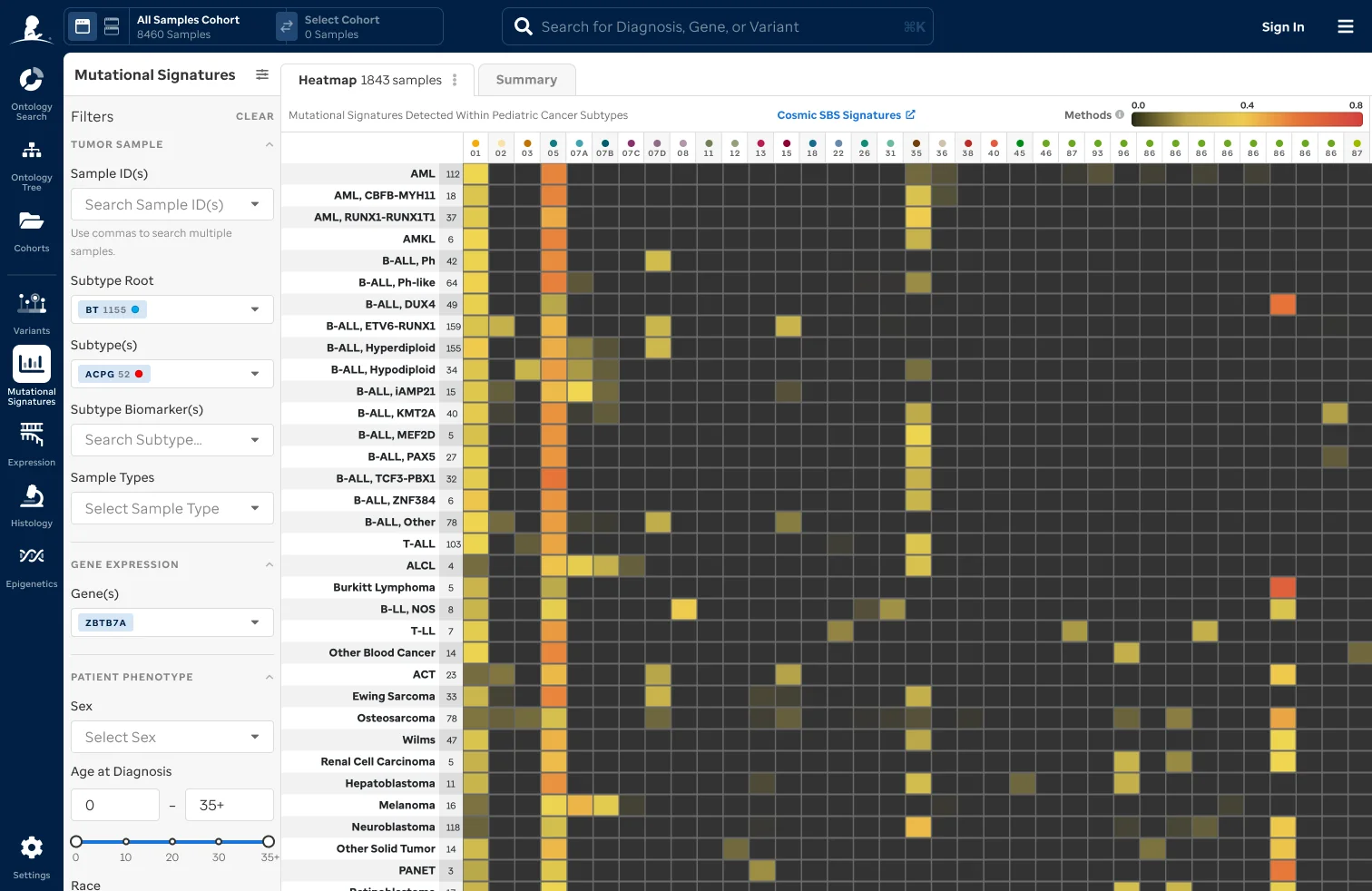 Cohort mutational signatures
Impact
PeCan now reads as a modern research product without breaking from the rest of St. Jude Cloud. Researchers at St. Jude and partner institutions use it daily.
Stronger visual and UX alignment across all St. Jude Cloud tools
Consistent tone and messaging across marketing, product, and documentation
Faster time-to-insight for researchers exploring genomic data
AACR (American Association for Cancer Research) presentation of software and new features
Clearer communication of findings and publications
Cross-department collaboration
The work serves St. Jude's mission: share what they know, openly.
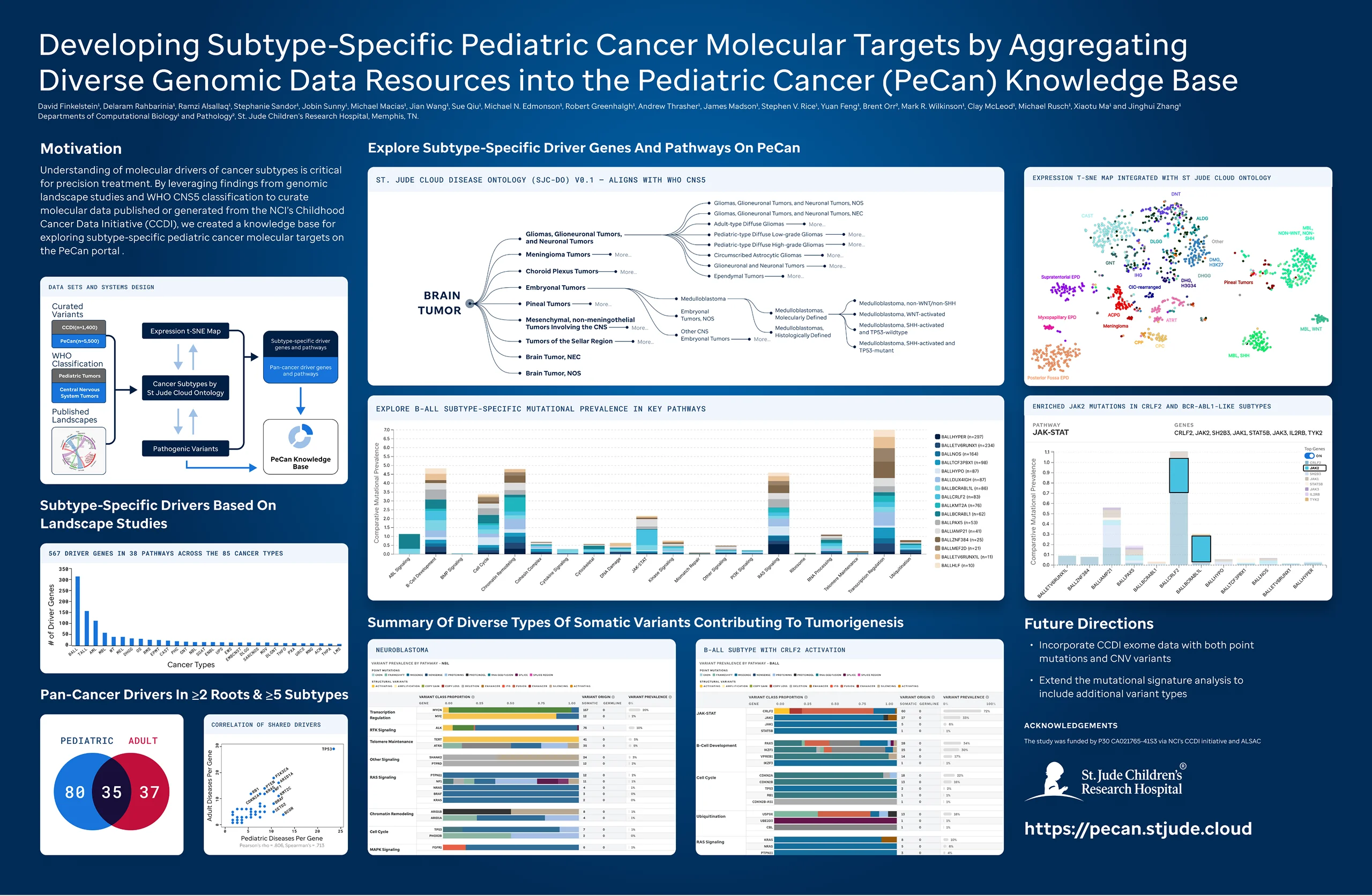 AACR poster design to present new features and findings
Reflection
Designing for researchers means designing for people who know more about the content than you do. That changes the dynamic. You can't simplify data. You can only make it easier to navigate. The right question is always: what does a researcher need to see first, and what can wait?
Working on PeCan also taught me that a design system is only as good as its adoption. Building the components wasn't the hard part. Writing the documentation, the newsletters, and the launch materials so the team could carry it forward was what made the work stick.